

'Hardwipe' Windows PC data


When it comes to your computer, security takes a number of forms. There is the threat of viruses and spyware to consider, the importance of securing accounts with strong passwords and there is also the security of your files to bear in mind. You might think that when you delete the files you no longer need they are gone forever, but there are a variety of tools can techniques that can be used to recover data that has been ‘removed’. Hardwipe is a free tool that can be used to boost your security by overwriting files multiple times to dramatically reduce, or even eliminate, the ability to recover files.
The program can be used in a couple of ways, either to wipe a drive in its entirety or delete selections of files. When it comes to wiping a drive, you must use the main program interface to select the drive you are interested in as well as selecting the options that should be used, but when it comes to deleting individual files and folders, Windows’ right click menu provides access to the wiping option.
PhotoFiltre 7 is an accomplished photo-editng tool

Photo editing and manipulation tools are not exactly in short supply but those that get the balance between the number of features and ease of use are few and far between. Despite featuring an interface that is somewhat off-putting to start with, PhotoFiltre 7 is an extremely accomplished tool with the latest update adding support for both layers and transparency – these are options that were previously only available in the more advanced PhotoFiltre Studio.
While the interface is perhaps the most well organized, it is more appealing than the likes of the GIMP. This freeware image editor is probably PhotoFiltre’s closest competitor in this particular software arena and while neither app is going to win any prizes for the most attractive or well-designed interface, PhotoFiltre definitely has the edge over its rival -- and while the interface is a little on the cluttered side, it does mean that many options are easily accessible through the wide range of toolbar buttons on display.
Make Windows yours with Rainmaker 2.2
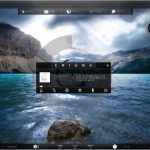
The desire to customize the appearance and function of Windows does nothing but increase and this accounts for the large number of tweaking and skinning tools that are available for the operating system. Whatever you want to do to the look of your desktop, there is undoubtedly a tool that can be used to achieve what you are looking for, and one of the most powerful and feature packed is Rainmeter which has just been updated to version 2.2.
There are a huge number of skins and widgets available for Rainmeter that can be used to not only completely change the look of your computer, but also provide easy access to tools and utilities that you may need. There is virtually no limit to what can be achieved with the app from adding news feeds and tweeting ability to the desktop, to resource monitoring and media control. All of this is available free of charge in Rainmeter 2.2.
January 10 giveaway -- East-Tec Eraser 2011

Your computer can reveal a great deal of information about you and if other people have access to your machine, it would be all too easy for this data to fall into the wrong hands. Simply deleting files you no longer need is not enough as there are numerous tools that can be used to restore anything that has been erased -- even from a drive that has been formatted. This is where East-Tec Eraser 2011 can help, making it possible to securely wipe information from your computer so that it cannot be recovered.
The application is broken down into a series of different section, with the main interface making it easy to securely delete any files you no longer need. You can simply drag and drop files onto the program window before choosing how secure the wiping should be -- this ranges from deleting and overwriting with random data to the Gutmann method, which is very slow but renders files completely unrecoverable, even using hardware tools.
IObit Advanced SystemCare 5.1 improves support for Windows 8
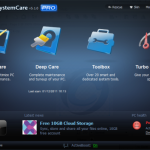
System maintenance and optimization tool IObit Advanced SystemCare has been updated to version 5.1, not only adding new features to the main program, but also bringing IObit Uninstaller 2.1 to the party. You’ll find that there is also improved support for Windows 8, an enhanced registry scanner, extended Privacy Sweep application support and a new Performance Monitor module.
The main bulk of the app is focused on boosting the performance and stability of your system, but there are also utilities that can be used to improve security and protect your privacy. The great thing about the utility is that you are able to get as hands-on as you feel comfortable with. There are a number of automated tools that can be used to keep your system running smoothly, but you’ll find that more impressive results can be achieved by using each one.
21 downloads to ring in the new year
We might all be feeling slightly sluggish after overindulging throughout the holidays, but the software release schedule continues apace. Your thoughts may have already turned to Windows 8 and if you’re yet to try out the Developer Preview, PCmover Windows 8 Beta Assistant is here to make things easier for you. If you have been put off by the idea of having to set up a virtual a machine or updating your existing installation because of the prospect of transferring your files and installing all of your favorite software, this handy utility can help to automate the process.
Whether you’re upgrading Windows or not, everyone needs a backup tool, and EASEUS Todo Backup Free 4.0 fits the bill perfectly. You can backup individual files and folders or entire partitions, and you can create incremental backups to save space. If you’re sticking with your current version of Windows for the time being, SharpKeys 3.5 enables you to disable keys on your keyboard that you do not use or find that you press accidentally -- a much easier option that editing the registry. You may well be more interested in customizing the look of your computer rather than customizing the way your hardware works, and this is something that Kuvva 1.1 can help with, making it possible to automatically change your desktop wallpaper on a schedule.
Thinking about the BIG upgrade? Try Laplink PCmover Windows 8 Beta Assistant

While the release of a new operating system is generally quite exciting, even computer users who are keen to have the latest and greatest version of Windows installed are filled with a slight sense of dread at the prospect of the installation. While the installation process for Windows 8 is one of the fastest and easiest yet, there is still the problem of having to install the apps you need and transferring all of your files. PCmover Windows 8 Beta Assistant from Laplink helps to ensure that things go as quickly and smoothly as possible by enabling you to more easily migrate your existing files, settings and user profiles.
PCmover has been around in various versions for some time now, but this beta release has been designed specifically with the pre-release versions of Windows 8 in mind. It can currently be used to make the move to the Developer Preview version of Windows 8, but it will also work with the Beta version when that it released in the near future. For reasons best known to Laplink, there is only support for 64-bit versions of Windows, both as source and destination operating system, and it can only be used with Windows 7; there is no support for XP or Vista.
Got iPad and need Microsoft Office? Try CloudOn
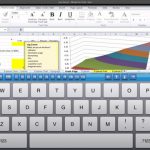
There are a number of Office compatible office suites to choose from in Apple's App Store, so anything that wants to stand out from the crowd needs to offer something special. After a brief appearance followed by a rapid vanishing act, CloudOn for iPad has returned to the App Store. What makes this app different from any of the other suites you could choose to install? Well, not only is it free of charge, but the suite is not only Office-compatible, it is a cloud-based version of Microsoft’s flagship suite.
The app integrates with Dropbox that is used to store all of your documents, and you have access to Word, Excel and PowerPoint. The app interface is almost exactly the same as using the desktop version of Office, but working with an on-screen keyboard is vastly different to typing in the usual way. It is unlikely that you will want to use the app for extended periods of typing, but the ability to review existing documents and make changes to spreadsheets, presentations and text documents in a familiar environment is big news.
January 6 giveaway: Auslogics Registry Defrag

It is important to keep your computer in good shape if you are going to get years of use from it and there are various techniques that can be used to ensure that you are getting the best possible performance from your hardware. While it is fairly easy to use the various tools that are built into Windows to keep your hard drive optimized, when it comes to the registry it is something of a different story. Windows includes a tool that can be used to edit the registry, but nothing that enables you to optimize it. This is precisely where Auslogics Registry Defrag can help and today we’re giving you a free copy of this powerful app worth $19.95.
Auslogics has a great reputation for producing powerful maintenance tools, and Registry Defrag falls very neatly into this category. The registry is an area of Windows that many people do not feel comfortable tampering with -- and with good reason, as any incorrect changes could have disastrous consequences for your computer. But just like your hard drive, your registry is prone to fragmentation as software installation and uninstallations leading to bloating and an increase in size that impacts negatively on performance.
Turn your Android into a second PC monitor

Anyone who has worked with a dual monitor setup will be aware of just what a productivity boost the extra screen space can be. The ability to have more than one application visible in full screen mode enables you to view more information at any one time is incredibly useful and it something that everyone should try. But whether you have a couple of monitors sitting on your desk or not, ScreenSlider enables you to gain a little extra space using your Android device.
The app can be used with either tablets or phones, and while both are useful options, tablet owners undoubtedly get a better deal thanks to their larger screens. ScreenSlider simply requires that you install the free app on your Android device as well as the desktop software on your PC and the software will then automatically detect your phone or tablet over your wireless network from your computer. You can drop any program window onto the display and take advantage of it whilst sat at your desk or move further afield --providing you stay within range of your network.
Dolphin Browser HD 7 for Android mini-review

Whatever operating system you look at, it is fair to say that most people fall out of love with the default web browser pretty quickly. Windows users will find that they migrate away from Internet Explorer, while Mac owners are likely to adopt an alternative to Safari. The same is true for mobile platforms and when it comes to Android devices there is no shortage of web browsers to choose from. Dolphin Browser HD is one alternative browser that has gained an impressive following not only on iOS devices, but also on Android.
This is a mobile web browser that got off to something of a slow start. When it was first released it was an interesting alternative to the likes of mobile Safari and Opera Mini but it has developed over a relatively short period of time into some seriously impressive. Being designed for touchscreen devices means that the browser takes advantage of gestures to make it easier to perform common operations such as moving back and forwards between pages. Support for gestures means not only that web navigation is made a great deal easier, it also frees up screen space that would otherwise have been occupied by a toolbar full of buttons.
MAGIX Music Maker 17 Silver is yours, free download just for a day

You may well have entertained the thought of using your computer to create music, but knowing just where to start can be a serious stumbling block. Unless you are already a musician, the majority of the music creation titles that are available are pretty complicated to use and can be very off-putting to anybody looking to get started. To help make things a little easier for you, we’re giving away a free copy of MAGIX Music Maker 17 Silver, worth $19.95, which can be used to create impressive musical works with loops, samples and more.
As anyone who has used MAGIX software will be aware, Music Maker 17 Silver is a delightfully easy to use program, but this does not make it any the less powerful. You are provided with a computer-based four track recording studio to work with, and while four tracks may not sound like much this is a versatile tool that lends itself to experimentation, and you will find that you are able to create something truly impressive quickly and easily.
Kuvva gives your PC a fresh new look every day

Your desktop wallpaper may be something you don’t give much thought to, but whether you have chosen to stick with a stock image, or have adorned your desktop with a photograph of loved ones or a favorite place, this is an image you are going to be seeing on a daily basis. It is easy to become bored of constantly seeing the same image, and being bored is not a mood that is conducive to being productive, whatever you are meant to be doing. Kuvva is a free app that helps to alleviate the boredom by providing you with a new wallpaper every day.
This is not exactly a new idea as there are numerous wallpaper changing applications available; but Kuvva is a little different. Rather than relying on your providing a series of images that can be rotated as your desktop wallpaper, Kuvva gets its images from an online repository that is constantly updated by artists, designers and photographers. The app takes care of changing your wallpaper for you, so when you switch on your computer in the morning you can be greeted by a new and inspiring work of art.
LogMeIn Free for iOS mini-review
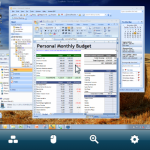
In both the home and work environment, there are numerous uses for remote access tools. For home users, the ability to not only access the files stored on a computer housed in another room but also take full control of it as if you sit in front of it can save a great deal of legwork reviewing a document you need to read or checking the status of a download, all without having to run up and down stairs. Used for work, the possibilities are almost limitless. Network administrators can control their entire network from almost anywhere -- homeworking becomes a possibility for a far larger number of people; the list just goes on and on. There are a number of remote access tools available for iOS, LogMeIn is not only one of the best known, it is also one of the best. And the great news is that it is now completely free of charge.
The app was previously available for $30, and while many people could see the benefits of using such a powerful and useful tool, the price was a little off-putting. With the launch of a free version of the app, which is mercifully light in the restrictions department, the world of VPN has opened up to a whole new audience who are now able to take advantage of remote access from a well-known name without having to part with any cash.
Improve your PC's performance with this end-of-year software sale

Late December is traditionally the time of year to snap up a bargain in the post-Christmas sales, and there is no shortage of special deals to be found in the Downloadcrew Software Store. Take a browse through the store and you will find everything from security software to video editing tools -- there really is something for everyone. With huge savings of up to 83 percent off some of the best software available, you’d better hurry because these offers expire on December 31, 2011.
For anyone looking to watch videos on their computer, CyberLink PowerDVD 11 Ultra is a versatile media player with support for a huge range of video formats and discs, including 3D formats. You can save 45 percent off the MSRP when you buy the software for just $45. Also from CyberLink is CyberLink PowerDirector 10 Ultra which you can buy for just $69.95, saving 30 percent off the MSRP. This powerful program can be used to edit video, including 3D formats, and it comes bundled with a free copy of CyberLink MediaEspresso 6.5 worth $39.95.
Sofia Elizabella's Bio
Sofia Wyciślik-Wilson is a queer, transgender journalist based in Poland. She has been writing about technology for more than two decades, and after years working for magazines, her writing moved online. She is fueled by literature, music, nature, and vegetables. You can find her on Bluesky and Mastodon. If you like what you read, you can Buy her a Coffee!
© 1998-2026 BetaNews, Inc. All Rights Reserved. Privacy Policy - Cookie Policy.