

Spookify your desktop with Halloween Skin Pack

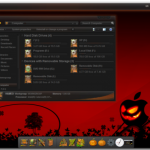
Everyone loves to give their computer a makeover from time to time, and Halloween is as good a reason as any to seek out a new desktop theme. While there’s nothing to stop you from heading out with your digital camera and snapping a suitable shot, or even getting creative in the likes of Photoshop, it is a great deal easier to let someone else do the hard work for you; this is where a Halloween Skin Pack could give you the new look you have been looking for.
More than just a new background image -- although this is a part of the skin pack -- the Halloween Skin Pack includes a number of options for spookifying your desktop. Providing you have the relevant third party tools installed, you can customize your login screen, Start menu, icons, and much, much more.
Scare up one of these 25 downloads released this week
It’s the end of October, but the relentless release rate of software shows no sign of abating. The last seven days have been at least as busy as usual, so it would not be surprising if you managed to miss a few titles here and there. Thankfully, we’ve had our finger on the pulse and have compiled a roundup to help you get up to speed. One of the biggest releases of the week is undoubtedly Google's browser, which has come out of beta with the release of Chrome 15.0.874.106 FINAL. As well as speed and stability improvements, there is also a redesigned tab interface that fans of portable apps can take advantage of.
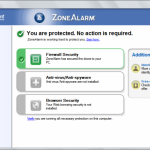
When online it is important to keep yourself protected and a firewall is a great first line of defense. ZoneAlarm Free 10.1.056.000 can help to control the flow of traffic to and from your computer. There are many types of files you will encounter online, and one of the most common if the humble PDF. If you’d prefer to steer clear of the big names, Foxit Reader 5.1.0 wll cater for your needs perfectly.
AVG LiveKive 2012 review

Cloud storage has come a long way in recent years, and the ever-increasing number of mobile device means that more and more people are finding different ways to make use of it. The importance of backing up valuable data, coupled with the widespread availability of high-speed broadband connections means that cloud storage is ideally suited to safeguarding files you need to protect, not only helping to avoid the risk of data loss, but also making it possible to access your files from other computers.
AVG is a company best known for its antivirus software, but AVG LiveKive sees it branching out into another area of security -- backups. Traditionally, this practice is something that has involved the use of a separated hard drive partition or perhaps a dedicated drive, but the feasibility of storing files online brings a number of benefits. As you are using remote storage, you do not need to worry about running out of space in quite the same way as when using a local hard drive, and the option of remotely accessing files that have been backed up from a machine other than the one from which the backup from created opens up even more opportunities.
Uh-oh iTunes, WinAmp comes to OS X, syncs with Android

WinAmp used to have a huge following back in the days when MP3 was still something of a new format, and the increased popularity of the Mac and Android platforms seems to have brought about something of a resurgence. While Windows users have long enjoyed the player, Mac users have not been so lucky. All this changes with the release of a beta version of the Mac player along with an important update for users of the Android version of the app.
The curiously names WinAmp for Mac Sync Beta not only indicates that the Mac software is currently in beta testing, but also that there is a strong focus on synchronization. While the player can be used to listen to your locally stored music library, it can also be used to keep your iTunes library synchronized as well as synching music with your Android device.
Get tabs in Windows Explorer
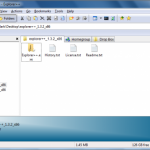
Windows Explorer is an incredibly useful tool for managing your files, making it possible to open, copy and move documents in folders quickly and easily. But the file management tool that is built into Windows is not without its limitations -- why there is a market for replacement tools. One of the greatest, yet simplest, innovations in the humble web browser was the addition of tabbed browsing, and Explorer++ brings the same handy feature to your file manager.
Just as tabbed browsing makes it easier to work with multiple websites simultaneously, so a tabbed file manager makes it easier to work with multiple folders at the same time. Rather than having a huge number of individual windows open when copying or moving files from one folder to another, or simply working with documents stored in different locations, Explorer++ enables you to make do with a single program window.
Need to lock down Firefox? Try Dell KACE Secure Browser
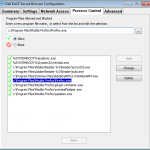
One way to stay safer online is to run your browser in a sandbox, where it’s isolated from your main PC: even if you’re infected by something unpleasant, this greatly limits the damage that malware can do.
You don’t have a sandbox? Then one simple alternative is to download and install Dell KACE’s free Secure Browser, which essentially provides a virtualized version of Firefox 3.6.13.
Unlock Windows 8 hidden features with BluePoison 2.1
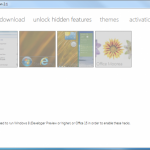
Many Windows users are keen on tweaking their operating system and this is even truer when a big interface change is made. The public release of the Windows 8 Developer Preview means more people than usual are getting sneak peek at the upcoming version of Microsoft’s operating system, during its earlier stages of development. Windows 8 BluePoison is a free tool that unlocks a number of hidden features.
Moving through the options in the application, you can opt to revert to the old style Start menu and access the Applications folder, which are normally hidden as well as enabling the snap feature on small displays.
15 downloads you shouldn't miss this week
It has been another busy week in the world of software releases, so we wouldn’t be at all surprised if some titles escaped you attention. Some of the highlights from the last seven days include WebSite X5 Free, which is a surprisingly effective free template-based web editor that has been designed for beginners looking to create their first site. With a huge range of stylish templates to choose from and a built-in FTP client, there’s everything you need to start and finish your perfect site.
If looking after your computer is more up your street OSForensics 1.0.1001 may well be of interest. This powerful tool can be used to unearth a wealth of information about your system including details of hardware that is or has been connected, and while there are limitations in the free-for-personal-use version it could still furnish you with the information you need to help overcome all manner of problems.
Remember the Milk for Android Review

When it comes to to-do apps and reminder tools, Android is the perfect platform thanks to its mobile nature and the various synchronization options that are available to ensure that the same data is available on your PC or Mac. So ideal is the platform for this type of app, there is no shortage of titles that have been designed to help you to keep your life in order, avoid missing deadlines and appointments, or keep track of things you need to do and buy. Even before days of iOS and Android, Remember The Milk was available as an online app and the level of control the service provides over your to do list is unparalleled.
The iOS app has been available for the iPhone and iPod for a little while now, but the update to version 2 for Android has seen the software evolve into a free app that brings the same powerful options that have been available to iOS devotees for so long a time. The interface has been given a major overhaul, but it is the fact that anyone with a Remember The Milk account -- both free and paid-for -- can now make use of the app free of charge that is the real headlines news.
WebSite X5 Free: sophisticated but limited
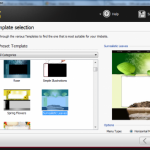
Creating a website from scratch can be a tricky business, and one that many people simply do not have the time or, so they may think, ability to see through. But it does not matter if you are unable to type of a line of meaningful code, there are still a number of tools available that can help you to create an online presence. While template-based WYSIWYG web editors are not going to be the most suitable tool for businesses or more advanced users, they do have their place, and WebSite X5 Free is the latest contender vying for the attention of would-be web masters.
The program is perfectly suited to anyone looking to create their first website, or a small group or club looking to break into the online world without breaking the bank. The sites that can be created are not staggering works of beauty, but the templates are of a reasonably high standard, and the sites that can be created are impressive enough and not your usual fare and have a more modern feel than is often the case with such applications.
Lookout Mobile Security -- now available for iOS

For many people, their cell phone is one of the most expensive items they own, it is certainly the most valuable possession most people have on them at any given time. Losing a phone does not just mean taking a financial hit, though, it also means that the data you had stored on the device -- phone numbers, personal files and more could well fall into the wrong hands. There are various tools available that can be used to track down a misplaced device, and the latest contender to enter the arena is Lookout Mobile Security.
This is a free app that has been available for Android devices for a little while, but it has just been released for iPhone and iPad. At its heart, this is an app that has been designed to reunite you with a lost iPhone or iPad -- and this could mean a device that you have left lying around the house, lost while out and about, or even had stolen. With Location Services enabled and an account created with Lookout, you can log into your online account and check the location of your iOS device on a map.
Adobe Reader finally comes to iPad, iPhone
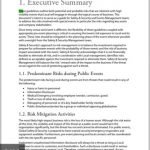
While iOS has supported Portable Document Format for some time, there has been no official app from the king of the PDF, Adobe. With the release of Adobe Reader for iPhone and iPad, this has now changed. As you would expect, the app provides support for the opening of PDF files that have been created on other platform, including those that have been password-protected, and PDF portfolios.
Lengthy files can be easily navigated using bookmarks and text searching, and a thumbnail preview section at the bottom of the app makes it easy to jump to a specific page without having to scroll through a document in its entirety. It’s good to see that the iPhone and iPad versions of the app are, apart from the differences in screen size, indistinguishable from each other.
Count `em, 17 downloads you shouldn't miss this week
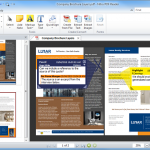
Attention may have been focus on the hardware releases coming from Apple this week, but there also was the usual wide selection of software releases to devour. The release of the iPhone 4S and iOS 5 is probably the biggest news of the week, and to tie in with this, Apple released iTunes 10.5 32-bit and iTunes 10.5 64-bit. One of the most interesting features of iOS 5 is iCloud storage and synchronization, and Windows users can take advantage of the newly released Cloud Control Panel for Windows to control this from their desktop.
When working with your PC, the inevitable reduction in performance that creeps in over time can be banished using TuneUp Utilities 2012. The app can be used to optimize the registry, save power and fix problems. In a similar vein is MAGIX PC Check & Tuning 2012, which can be used in one-click mode for quick fixes, but also enables you to get a little more hands-on if you want to get the best possible performance from your computer. If two tune-up tools aren’t enough for you, iolo System Mechanic Free 10.6 rounds off a trio of performance boosting utilities, and this one is available free of charge.
Taptu ties together professional and social news feeds

With a range of social networks to choose from, each with their own timeline or news feed available, coupled with blogs and news websites, many Internet users have a huge amount of information to wade through each day. If you don’t fancy the idea of visiting each of your preferred news websites and blogs individually, or cluttering up your phone or tablet’s home screen with endless social networking apps, Taptu may be of interest as it makes it possible to access all of your social network and news feeds in one place.
You can quickly and easily add your Facebook account to the app so you can keep track of news that is posted in this way, as well as using the app to keep an eye on your timeline as it fills up with comments and pictures from your friends. Similarly, you can add your Twitter account to make it easy to keep up to date with the tweets of everyone you follow from the same place.
MAGIX PC Check and Tuning 2012 review
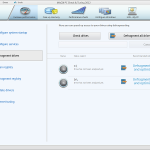
When it comes to optimizing the performance of your computer it is possible to take a very hands-on approach and get involved in editing the registry and checking that you do not have too many startup programs running. But this is not something that everyone has time for or, indeed, the inclination. PC Check and Tuning 2012 is the latest in a series of system maintenance utilities from MAGIX, and it can be used in a quick, one-click mode -- or you can get more involved if you like.
The one-click mode can be accessed by launching this option from the Start menu, but it is also available in the main program itself. This mode will check for updates for drivers and software you have installed as well as performing a variety of optimization tasks, such as deleted unnecessary files or removing startup items. The program will also check and optimize the registry as well as seeing whether services you don’t need are running.
Sofia Elizabella's Bio
Sofia Wyciślik-Wilson is a queer, transgender journalist based in Poland. She has been writing about technology for more than two decades, and after years working for magazines, her writing moved online. She is fueled by literature, music, nature, and vegetables. You can find her on Bluesky and Mastodon. If you like what you read, you can Buy her a Coffee!
© 1998-2026 BetaNews, Inc. All Rights Reserved. Privacy Policy - Cookie Policy.