


News in the age of Twitter: lessons from Bin Laden and beyond


Everything we knew about breaking news has changed.
By this point, it's generally believed that CBS News Capitol Hill Producer Jill Jackson broke the stoy of Osama bin Laden's death with one tweet at 10:32pm EST. Whether Jill scooped her own network is a question for another time, but the point is this: One tweet, retweeted by me and thousands of others, came more than an hour before the President of the United States took the podium and confirmed what we'd all read.
Remember the Milk is fresher on iPad

The online Remember The Milk service is one of the easiest and most popular ways to keep track of shopping lists, manage a list of thing that need to be done and anything else that needs to be remembered. An iOS app has been available for some time, but now Remember The Milk 2.0.0 has been released as a universal app with vastly improved support for the iPad.
The app has been completely redesigned from scratch to come up with something that feels perfect for the iPad's larger screen. An iPad specific version of Remember The Milk has been a long time coming, but it seems as though the wait has been well worth it. This is a polished piece of software. it is something of a shame to find that no new features have been added in the transition to becoming a fully-fledged iPad app, but Remember The Milk was already leader of the pack in its field.
What's the right tool for moving data to a new hard drive?
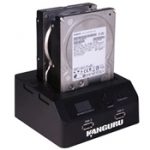
Why purchase a brand new computer when you might be able to save serious cash by extending the life of your existing model through a judicious upgrade or two? Memory is one of the most cost-effective upgrades -- doubling your system RAM to 2GB or more can really make a difference, but the emergence of affordable SSD drives offers an even bigger fillip, with programs and your OS loading in a fraction of the time they used to.
Of course, shelling out for a new hard drive is one thing, migrating the contents of your old hard drive to the new one is quite another. In this roundup we've identified a number of apps that can help you upgrade with the minimum of fuss. Instead of covering them separately, however, we've identified several scenarios you might face when performing an upgrade. Just select the scenario that applies to you, and read on for our choice of apps, many of them free, that can make your upgrading process as simple as possible.
Microsoft's Premier Support Reporting Tool will save time and your sanity

Diagnosing Windows problems on your own PC can be difficult. But understanding what's happening on a friend's system, far away, is a far greater challenge. Especially if they're less than technical, and unable to answer even basic troubleshooting questions without a lot of help.
So what should you do? It's surprisingly easy: just follow Microsoft's lead. The company has developed a Premier Support Reporting Tool that makes it easy to collect a huge amount of data on just about any PC. And if you use it, too, the program will make it much easier to figure out exactly what's going on with a remote computer system.
Joli OS takes your Windows PC to the cloud

The future of computing, so we're told, lies in the cloud. It's already possible to spend practically all your entire computing life in your browser window, using web-based apps like Google Docs and Photoshop Express Editor in place of more traditional desktop apps like OpenOffice and Paint.NET.
The only downside of this approach is keeping all your online apps and accounts together in one neat place. This is where Jolicloud comes in, offering a desktop-like experience in your browser window. But why stop there? Jolicloud has gone one step further and developed an entire operating system, Joli OS, that takes your browser-based desktop and places it right in front of you.
LastPass won't let 'anomaly' pass, forces users to reset passwords

Users of the free browser add-on LastPass, which offers secure online password and form management, have found themselves forced to change their master password. This follows an announcement by LastPass after it detected an unexplained "anomaly" in one of its machines' network traffic logs.
After failing to adequately explain the cause, LastPass has taken a "worst-case scenario" approach to the anomaly, assumed it represents some form of security breach -- the amount of data transferred was large enough to have contained enough sensitive information to have enabled any hacker to attempt to brute force insecure passwords -- and triggered a mandatory password change for all users.
Artboard: Mac vector graphics for the budget-minded
Standard images editing tools are not hard to come by -- in fact Mac users are almost spoiled for choice in this field. But when it comes to vector graphics packages, the choices are slightly more limited. If you don't fancy the idea of forking out fortune on an expensive package, Artboard may be of interest. It offers an impressive range of creative tools at a fraction of the price of comparable software.
Whether you're looking for a quick and easy way to create scalable posters, or would like to design your own logos or web graphics, Artboard includes a number of templates to help get you started. The fact that the templates include designs for invitations and fliers as well as business cards and signs gives some indication of the target audience of the app.
Tiny Burner: When the disc job's not too big

When it comes to burning discs, the likes of Nero and Roxio have their place. However, while it is possible that you will occasionally need the features provided by such suites --if you are creating video discs or photo slideshows, for example -- it is more likely that most of your burning sessions involve little more than copying a few files or folders to disc. This is where a lightweight tool such as Tiny Burner is ideal.
Rather than overwhelming users with endless features, Tiny Burner focuses on the basics of disc burning -- the process of getting files from your computer onto CD, DVD or Blu-ray. There are no fancy extras to be found here, and if you are looking to work on complicated disc projects, this is certainly not the tool for you. However, if you have found the built-in disc burning support offered by Windows to be a little too basic, Tiny Burner may be for you.
PSN Hack: Fun and games don't have to end when someone breaks in

Hard-core players hate to lose games. But what happens when they're the sport -- the object of play? That increasingly is the state of PlayStation Network subscribers, following a hack that swiped personal data. If that's you, there are ways to protect you now and from future data theft anywhere on the Internet. Fun and games don't have to end when someone breaks in.
It all started so innocently. Two weeks ago, PlayStation Network went down. The next day, Sony promised the outage would last for a "day or two" to the despair of the fun-loving millions who use the service to access multiplayer games, movies, music and other downloadable entertainment. At the time, Sony raised the possibility that a hacker instigated the outage, but it took six days and outside help before it was revealed that PSN had indeed been the victim of a hack -- one that compromised the personal data of as many as 77 million customers. Today, new details emerged that, despite denials, Anonymous may have been responsible for the hack and data theft.
Find shared files' hidden metadata before hackers do

Document metadata can be very useful on your own PC. Tag yourself as the author of a report, say, or enter some relevant details in its description, and the file should be much easier to find later. When you need to share documents online, though, it's a very different story. Without knowing it, you could be giving all kinds of information away to hackers: usernames, network details, email addresses, software information and a whole lot more.
So does any of this apply to you? Manual checking is tedious, and could take a very long time, but, fortunately, it isn't necessary. FOCA Free is a simple tool that automates the process of checking any websites for metadata issues, and it's both quick and easy to use.
Opera 11.50 'Next' puts the alpha in beta testing

Opera has released an alpha build of Opera Next 11.50. As the name implies, this new release is a separate version of the cross-platform Opera browser. It's designed to allow users to install the latest developmental version of Opera alongside the current stable version, allowing users to road-test the latest new features without risking their current, stable installation.
Aside from introducing the Opera Next browser, which is identified by a silver grey version of the traditional red "O" icon used by Opera, version 11.50 also adds support for Speed Dial extensions, allowing developers to do more with the Speed Dial shortcuts page in Opera itself, such as delivering live news feeds, page updates or animated video in place of the static web page image or site icon.
Fresh Feed satisfies your RSS appetite without overeating

RSS feeds can be used to keep abreast of news headlines and the latest blog posts, and most RSS fans will have a huge number of subscriptions. Whether you have opted to use a dedicate RSS reader or use an online RSS service such as Google Reader, you'll no doubt be aware that it is all too easy to spend a great deal of time wading through endless posts when you are only likely to be interested in posts from a small number of sites. Fresh Feed enables you to keep up to date with your most important feeds so you can focus on the stories that are likely to need your attention.
In a few moments it is possible to configure the app to check some of your most frequently read feeds on a regular basis, and you will receive an audio alert whenever a new post is made. A menu bar popup displays the headlines for your configured feeds and a preview of the associated story can be viewed in a small slide out window -- anything that particularly grabs your attention can be viewed in its entirety with a quick click.
Gmail Notifier Pro: Your Google Mail, Calendar and News all in one place

If you're looking for a way to keep a track of your Google accounts, Gmail Notifier Pro may well be the tool you have been looking for. Although the name of the program may suggest that its sole purpose is to provide notifications about the state of your Gmail inbox, the tool can be used to monitor Google Calendar and Google News.
There are free and paid-for versions of the application available, with the free version including support for up to two Gmail accounts and the Pro version allowing you to add as many accounts as you like. Mail can be checked using IMAP or Atom protocols and the notification area popups that appear when messages are received can be used to mark mail as read as well as composing replies and new emails without the need to visit the Gmail web site.
Paragon Hard Disk Manager 11 Professional: The full review

Paragon's Hard Disk Manager is a comprehensive collection of hard drive tools that comes in three different flavors. Hard Disk Manager Suite is powerful, but aimed at home users. The Server edition targets corporations, with its ability to optimize Windows Server installations. But the new Hard Disk Manager 11 Professional is perhaps the most interesting. It's packed with features, and Paragon say it's more of a business package, but there's also plenty here to appeal to the more advanced user, whether at home or in the office.
This doesn't make the program difficult to use, though. Hard Disk Manager 11 Professional doesn't have the same front-end menu that you get in the Suite edition, but it's still quite straightforward to locate the functionality you need; just right-click the drive or partition you'd like to work on, or browse the menus, and the feature you need will generally be very obvious. The interface in general is much the same as it has been in previous Paragon software, so if you've ever used any of the previous suites then you'll probably feel at home right away.
Fluid 1.0 turns websites into apps

It has been something of a long time coming, but Fluid for OS X has finally been released, providing an easy way to make websites accessible in the same way as any software you have installed. As so many websites, such as Facebook and Twitter, function in much the same way as applications, it makes sense to treat them in this way -- and this is exactly what can be achieved with Fluid.
In a matter of moments it is possible to create shortcuts that can be used to open you favorite website in its own window, as well as giving you the opportunity to create shortcuts that can be placed anywhere, Fluid also makes it easier to cycle through open website "apps" as opposed to scrolling through countless tabs in your browser.
© 1998-2026 BetaNews, Inc. All Rights Reserved. Privacy Policy - Cookie Policy.