


Google iOS app gets new name, more search focus


Google's iOS app has undergone a makeover and rebadging. Previously known as Google Mobile App, Google Search still provides easy access to all of Google's online tools, such as Google Docs and Gmail, but the search interface has been redesigned and gesture support has been added. The main focus of the app, as reflected in the name change, is web searching, but links to other online services are still available via a button.
Web searches can be performed in a number of ways -- typing in the usual way, by using voice commands or by taking photographs with your iPhone's camera. However a search is performed, once the results are displayed, a swipe to the right provides access to options that can be used to refine your search, limiting results to images, news, videos and a number of other categories.
It's time to end the e-commerce sales tax holiday

When I buy a book at the book store in my town they charge me 7 percent extra to send to the state of New Jersey. But when I buy it from Amazon.com I don't pay the 7 percent. It's a great deal for Amazon.com and for me, but it's fundamentally unfair. It's time to end the distinction.
I'm one who believes that taxes, as a general matter, should be kept as low as possible. This isn't about revenue -- it's about fairness. There's no logical reason why retail businesses with a physical presence should have to collect sales taxes but e-commerce (and phone/catalog) retailers don't.
Frenzy makes your Dropbox social

Dropbox is a handy online service that can be used to synchronize files between multiple computers, share files with others and backup important documents. Using Frenzy for Mac, it can also be transformed into a personal social networking tool that makes it easy to share files and links with friends and colleagues. The app is available as a free beta version and it is compatible with both free and paid-for Dropbox accounts.
Setting up the app is a breeze. Simply launch the software and indicate which of your Dropbox folders should be used for sharing, and the content you choose to share can only be seen by friends with Macs running Frenzy. To make it as easy as possible to share with others, keyboard shortcuts can be used to share files and web links without the need to explicitly launch an app. Once something has been shared, Frenzy returns focus to the app you were using so you can get straight back to what you were doing.
Wuala brings online backup to iOS devices

Swiss online backup provider Wuala, which is part-owned by hard-drive manufacturer LaCie, has released a new iOS app for iPad, iPhone and iPod touch. Wuala for iPhone/iPad is a free download from the Apps store and gives Wuala users remote access to their backed up or synchronised files from their iOS device.
Wuala is an online backup service that runs on Windows, Linux and Mac OS X, allowing users to keep their files backed up in a remote location. The Pro version also supports synchronizing folders between an unlimited number of computers as well as file-sharing and file versioning. In addition to accessing their files through an iOS device, Wuala users can also gain access through their web browser (Java is required for this function to work).
When one isn't enough, WinMHR uses the knowledge of 30 antivirus engines to protect your PC

No antivirus engine is perfect, even the market leaders will miss the occasional threat, and so installing just one security package could leave you exposed to risks. WinMHR, though, will scan your system and use the collective intelligence of more than 30 antivirus tools to identify malware, which means it's much more likely to detect even the lesser-known dangers.
We launched the program and it scanned the executables for all our running processes, calculating MD5 hashes (digital signatures) for everything it finds. These are then compared with a central Malware Hash Registry, which the authors say is aggregated from over 30 antivirus engines (though they don't name them), and you're alerted to any hits, all in just a few seconds.
Take Control of your multi-monitor setup with Dual Monitor Tools

Until you have worked with more than one monitor connected to your computer, it is difficult to understand just how useful a multi-monitor setup can be, and once you have tried it, it is very difficult to go back to using a computer with a single screen. But working with multiple monitors can also be slightly problematic, and while the extra desktop space is incredibly useful, it can take some time to get used to the fact that programs and windows launch on different monitors. Dual Monitor Tools is a collection of tools for Windows that can be used to take control of your displays and make them work the way you want them to.
There are five individual tools included in the suite, and each one can be run separately so there is no need to use them all if you don't want to. The simplest of the tools is Dual Wallpaper which makes it possible to choose between stretching a single desktop image across multiple monitors, or opting to use a separate image on each screen.
Adobe releases Photoshop Express 2.0 for iOS with extra-cost Camera Pack

Anyone with an iPhone 3GS, iPhone 4, third or fourth generation iPod touch or an iPad can take advantage of the new features of Adobe Photoshop Express 2.0 for iOS. In addition to full multitasking and retina display support, the updated version of the app also features a refined camera workflow and the option to make an in-app purchase of the Adobe Camera Pack. Version 2.0 released to Apple's App Store today.
While Photoshop Express 2.0 is free, the in-app Camera Pack purchase costs $3.99 and includes a number of interesting enhancements and features. One of the problems with idevice cameras is that they can have a tendency to produce images that are plagued by noise. The new Reduce Noise feature of Adobe Photoshop Express 2.0 can be used to quickly smooth out such problems, helping to create far more impressive photos.
What are your alternatives now that Google is abandoning Gears?

Once again, Google has announced the end of development for its Gears browser plug-in -- most recently in a blog post yesterday. Aaron Boodman reiterates: "We [are] shifting our focus from Gears to HTML5." Timing isn't good for users of the most-popular web browsers. Google won't support gears in Internet Explorer 9, which released two days ago and Firefox 4, which is set to ship next week. However, Google has confirmed the feature will remain present in its own browser, Chrome, up until version 12. Chrome 10 shipped last week.
Gears is a technology that allows compatible websites and services, including Google's own Google Docs and Google Mail, to be accessed offline before resynchronising when an Internet connection is reestablished. It enables users to store offline and backup copies of email, documents stored in the cloud and more.
Roxio Toast 11 Titanium: Burn once, burn everywhere

When it comes to disc burning tools, you could be forgiven for believing that there is little more to think about than simply copying files from your hard drive to a CD, DVD or Blu-Ray disc. While this may be the case when creating the most basic of backups, Roxio Toast goes to show that there is so much more that can be achieved with the humble recordable disc. The program is a suite of tools all related to the task of burning data onto recordable discs, and includes a number of individual components that can be used to create audio discs, video discs, slideshows, data backups and much more.
With basic disc burning and the option of working with image files built directly into Mac OS X, any third party disc burning tool has to have plenty to offer in order to justify the cost. From the offset, Roxio Toast does not disappoint; a huge set of features means that the application has great scope, and a neatly redesigned interface ensures that any project you are working on can be carried out entirely intuitively, and clearer labelling means that there is little chance of confusion when looking at various buttons and screen elements. The interface overhaul is not a major change from previous versions of the suite, but the minor changes that have been made make all the difference to usability.
AVG LiveKive joins crowded online backup market

AVG has launched a beta of its brand new online backup service. LiveKive will offer cloud-based backup, synchronising and file-sharing for its users, and the beta version launches with a one-size-fits-all free storage plan of 5GB for a year. No paid-for packages are currently available while LiveKive remains in beta.
Once signed up through the AVG landing page, users can then download the backup client, currently codenamed AVG AirSpace. This is a rebadged version of the same client used by rival online backup provider, SpiderOak.
Take control of Internet Explorer 9 with TweakIE9

Internet Explorer 9 may have only just been released by Microsoft, but already there is a tool available that can be used to tweak the browser to your liking. TweakIE9 is a free tweaking tool that can customize Microsoft's web browser in a number of ways, helping to iron out annoyances and make the program easier to use.
TweakIE9 includes a number of options, such as the ability to always start Internet Explorer 9 in InPrivate browsing mode, or to create a shortcut to make it easier to access the increased privacy mode. It is also possible to create a shortcut that can be used to launch another Internet Explorer session -- these shortcuts can be added to the Quick Launch bar or pinned to the Start menu for ease of access.
Defraggler update supports Windows 7 SP1
Piriform Software has released a new update for its free Windows defragmentation utility. Defraggler 2.03 is now fully compatible with Windows 7 Service Pack 1, and it includes a number of interesting new features and fixes.
Defraggler is a free (for non-commercial use) tool that can defrag entire drives or just quickly defrag selected files and folders. It supports both FAT/FAT32 and NTFS drives, and it includes a quick-defrag option, scheduler for keeping your drive defragged at regular intervals and an option to defrag free space only.
Keep your fingers in control with Trackpad Blocker

You're working away on your laptop, engrossed in your work and typing at speed. And all is well, until you accidentally touch a trackpad mouse button, the cursor jumps somewhere else entirely, and you have to pause to try and undo the damage. It's frustrating, especially when it keeps happening, but you don't have to live with this -- Touchpad Blocker can help.
Once installed and launched, the program runs in the background, monitoring your keyboard. And every time you press a key, it disables the trackpad mouse buttons for half a second, so if you accidentally tap one then it'll have no effect.
Wannabe a novelst? Try yWriter
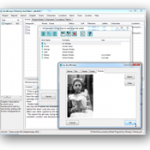
Everyone thinks they have a great novel inside them, but taking it from the deep recesses of your brain to a final, published state is a difficult journey. Your computer might seem the obvious tool to help here, but word processing software isn't geared towards novelists, and in trying to record and organize your notes alongside writing the actual story you can quickly become swamped.
What you need is a dedicated tool that doesn't just give you the tools to write your story, but provides you with the tools you need to organize them too. That program is yWriter; it's completely free, and version 5.1.6.4 has just been released, adding support for exporting your finished novel to ebook format.
5 ways to protect your Android phone from malware

As most of you by now know, last week the Android Market, the official store for applications on Android mobile devices, withdrew a number of apps that had been reported as harmful.
Why is Android encountering challenges where the iPhone isn't? Apps available for download on the Android Market aren't screened as stringently as they are on other public stores such as Apple's. The policy is in keeping with Android's open-source operating system, effectively allowing anyone with programming skill to create apps for mobile devices.
© 1998-2026 BetaNews, Inc. All Rights Reserved. Privacy Policy - Cookie Policy.