


Acronis combines two utilities into one suite deal


Acronis has released a compilation of two of its standalone products under the moniker, Acronis Backup and Security 2011. Boasting a price tag of $69.99, it compromises Acronis True Image Home 2011, the celebrated drive-imaging and backup tool, plus Acronis Internet Security 2011, a complete internet security suite. Also included is Acronis Online Backup, which comes with a complementary 5GB of online storage. Users can upgrade to 250GB storage per year by paying $20 extra for the Premium version of Acronis Backup and Security.
True Image Home 2011 is considered one of the best drive backup and imaging tools on the market, while Acronis Internet Security is actually a rebadged version of BitDefender's Internet Security 2011 product. The 2011 releases see completely redesigned user interfaces, plus integration with Windows 7 and support for USB 3.0.
Updated CCleaner supports Windows 7 SP1

Piriform Software has updated its system optimization and cleaning tool, CCleaner, to version 3.04. The latest release adds a number of new features, but most notably also adds support for Windows 7 Service Pack 1, which was made available for download two days ago.
CCleaner is a free tool that cleans out files for both optimization and privacy reasons, covering a wide range of systems, programs and browser settings. It also includes a Registry cleaner, plus tools for managing startup and System Restore points, as well as the Programs and Features Control Panel.
5 must-try Windows email applications
Do you need an email client? These days, many people see the advantage of accessing their email through the web -- not only does this enable you to check it on any internet-enabled computer, it saves you having to open a separate program each time you want to check your email.
Having said that, you'll need to consider a dedicated email client if you want to access your email offline, or your web-based host's interface leaves something to be desired. You should also consider an upgrade if you're still using Windows Mail (Vista) or Outlook Express (Windows XP or earlier). In this roundup we've sourced five alternative email programs, some free, others not so, and put them through their paces to see which one is best suited for your needs.
O&O SafeErase 5 scrubs your files clean
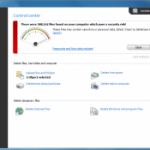
Wiping confidential files from your PC can be a difficult task. Just deleting them leaves the data available to any passer-by with a suitable undelete tool. Overwriting the files can help: but only if you do it properly. And even then it's possible for some data to survive for days, weeks, months, maybe even years -- unless you take advantage of a specialist secure deletion tool like O&O SafeErase 5.
The program is straightforward to use, integrating with Explorer so you can start wiping personal files right away. Just right-click the file or folder you no longer need, choose the SafeErase option and decide just how securely you'd like this deletion to be.
O&O releases SafeErase Professional 5.0
Berlin-based software powerhouse O&O has released a brand new version of its data-shredding tool for Windows. O&O SafeErase Professional 5.0's stand-out new feature is an analysis tool that searches the hard drive for deleted data it considers to be unsafe, providing the end user with the security that all sensitive files, even those deleted prior to the program's installation, have been removed from the computer.
O&O SafeErase Professional also searches for Internet data such as cookies, temporary files, forms and passwords, plus temporary Windows and program files. All the user has to do is launch the main program, click the "Start Analysis" button and wait for the program to search for these insecure files and settings. Once complete, they can be cleaned from the computer with a single click.
You're the DJ with free tool Mixxx

Quality DJ mixing software tends to be expensive, which can be a big problem if you're a mixing novice and still trying to hone your skills. There is an alternative, though. Mixxx is a free open source DJ mixing package that gives you everything you need to produce professional live mixes.
The Auto DJ makes it reasonably easy to get started, even if you're a total beginner: just import a few MP3 files and the program will mix from one track to another while you get on with other things.
Tip: Fix photos quickly and easily with SoftColor PhotoEQ 1.0

Not every photo comes out perfect, and the beauty of image-editing software is that it allows you to rescue those photos that would be perfect but for one or two flaws that render them useless. The trouble is, while image editors give you these options, they're not always the simplest to use. And if you're forced to perform several fixes, say color correction followed by blemish removal, then each fix must be performed in turn, making it more difficult and fiddly to restore your photo.
SoftColor PhotoEQ is a brand new tool designed to make image correction a simpler, less frustrating process. It combines a number of useful tools behind a simple user interface that anyone can understand, and which can quickly and easily lead to vastly improved photos.
LogMeIn join.me: Free ad-hoc meetings for up to 250 people

If you need to collaborate with others online then you'll probably think first about using email. But while this is a simple way to tell people what you're doing, there are far more powerful options available, and LogMeIn join.me is top of the list.
This one free tool (LogMeIn's replacement for LogMeIn Express) allows you to connect up to 250 people, for instance. They'll all be able to view your screen, while individuals you select can also control your system. A file transfer option makes it easy to share data, while the integrated chat client allows you to keep everyone in touch with what's going on.
Chasys Draw IES image suite adds features, goes free

Kenyan coder John Paul Chacha has made his Chasys Draw IES image suite completely free with its latest release, creating a rival to other popular free image-editing tools such as Paint.NET and The GIMP. Chasys Draw IES consists of four components, the main being Chasys Draw Artist, a full image editor with powerful feature set. There's also an image viewer (Chasys Draw Viewer), batch conversion tool (Chasys Draw Converter) and tool for processing RAW digital camera image files (Chasys Draw raw-Photo).
Chasys Draw Artist is a fully functional image editor, with a powerful set of features to rival both commercial and other free applications. It promises a radically different approach to image editing, and is also capable of creating images, icons, CD labels and other useful designs.
Google answers Internet Explorer 9 Release Candidate with new Chrome 10 beta

Late yesterday, Google released the latest beta of Chrome, version 10, celebrating the move to double figures with some very interesting new features. Google has kept Chrome development at breakneck pace since the first beta released in September 2008. Chrome revved from v4 to v8 in 2010. The v10 beta release comes days after Microsoft's Internet Explorer 9 Release Candidate 1 topped 2 million downloads.
According to a Google blog post, Chrome 10's new Crankshaft version of its V8 JavaScript engine now runs scripts some 66 percent faster than previous versions, as measured by the V8 benchmark suite. The new beta build also includes hardware-accelerated video, which Google says may cut CPU usage by as much as 80 percent when running full-screen, assisting performance generally and extending your battery life.
5 password managers for storing, protecting and syncing your personal information
How safe are you online? These days the biggest prize for any hacker or thief is access to your online accounts -- financial or otherwise, and with many people choosing to protect all their online details with a single, easily crackable password, there's never been a better time to practice safe browsing.
The problem with staying safe is that ideally you should use complicated, unique passwords for every single account you have. That's brilliant in theory, but in practice it's almost impossible to remember that "fjdSkjAh43q2" is the password for your online bank while "rh13um93ba" protects your Paypal account. The answer lies in utilizing a password manager like one of the five we've plucked out from a lineup for this quick-fire comparison.
Five security backdoors every small business should shut

Corporate security is serious business, but what about small businesses? How do owners know if they're unconsciously leaving the backdoor open to cybercriminals? Monitoring for new and emerging threats is a daunting task, particularly when the small business owner wears a second hat -- IT manager. Cyberattacks come through a variety of channels. There are five backdoor entrances every small business should guard against.
Door #1: Social networks and community bad spirits. Most social networking activity is concerned with community spirit and sharing of a wide range of data including documents, music, video and links. The biggest problem here is trust. People trust people that they know, or that they think they know. This means that users are more likely to click an infected link if it comes from a trusted colleague or friend. Beef up your security policy. Only 23 percent of companies have any security policies in place that specifically addresses social media. Offer staff some guidelines to keep them and your company network safe.
Does your computer measure up to thousands of others? Geekbench has the answer

Does your computer feel tired, slow -- is a poor performer? Or have you tweaked, tuned and optimized your system so much that you're sure it's delivering the best possible speeds? Whatever you think of your PC's performance, there's only one way to get a solid and objective view of its speed, and that's by using an excellent benchmarking tool like Geekbench.
Launch the program, click the "Run Benchmarks" button, and Geekbench will run some exhaustive tests on your CPU and RAM's performance, before producing a detailed report with all the figures you need.
WinZip System Utilities Suite is Windows' Jack of all trades and master of one

WinZip has released version 1.0 of a new all-in-one system suite, comprising of no less than 20 separate tools covering most aspects of system maintenance, including fixing problems, cleaning out redundant files, providing improved privacy and security, and optimising performance. The tools are brought together under a single front end that includes a tool that quickly scans and fixes problems that it finds.
WinZip System Utilities Suite starts with the Smart PC Care tool, which scans your PC for problems and issues. These can then be fixed with a single click, and the tool scheduled to run at set intervals ensuring your PC remains in tip-top condition.
Tip: Use Finestra Virtual Desktops to bring order to your Windows chaos

Here's the rub: you can only afford one monitor, and you frequently find yourself wading through window after window trying to find the right document. Or worse still, you need to switch between two or three windows but keep selecting the wrong one because of the dozens of other open apps and windows cluttering up your desktop.
You could close all these down, or you could try a virtual desktop manager. This effectively takes one desktop and multiplies it a number of times, allowing you to organize your open windows into different virtual desktops: one for your work, another for browsing the web and a third for doing your accounts, for example. And when it comes to choosing the right tool for the job, look no further than Finestra Virtual Desktops.
© 1998-2026 BetaNews, Inc. All Rights Reserved. Privacy Policy - Cookie Policy.