


Opera 11 gets Web of Trust


The Web of Trust (WOT) plug-in, which delivers security and privacy ratings on websites and search engine results worldwide, has extended its support to the Opera web browser now that version 11 supports the use of third-party extensions.
WOT 0.9 works in the same way as it does on other supported browsers -- namely Internet Explorer, Google Chrome, Safari and Firefox -- to provide a traffic-light icon in the browser toolbar and next to search engine results to provide at-a-glance safety and privacy ratings for the websites in question. If a site is rated red, Web of Trust throws up a warning message making it clear it doesn't recommend the user visit the site -- this can be overruled by the user, but is not recommended.
CrossOver Impersonator: Run Windows on Mac OS and Linux

CodeWeavers has released a major new version of its Wine-based CrossOver tool, which is designed to make it possible to run Windows applications and games on both Macintosh and Linux platforms. CrossOver Impersonator Edition boasts a brand new CrossTie feature, which enables users to install hundreds of Windows applications with a single click. It also incorporates over 4,500 patches that went into the latest release of Wine (1.3.9), and replaces all previous versions.
CrossOver is based on the open-source Wine software, which CodeWeavers contributes a massive amount of code to. Wine works by isolating programs in "bottles," each complete with its own C drive (including all sub-directories), Windows Registry, Wine settings and, of course, all the application files. Separate bottles can be created to isolate programs from each other or for setting up different versions of Windows for compatibility purposes. CrossOver Impersonator provides a more user-friendly front end and support, albeit in return for a commercial fee.
MAGIX Audio Cleaning Lab 17 Deluxe sounds sweet
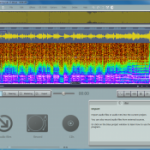
Sound quality really matters. The tiniest of audio glitches can often be enough to ruin a home movie or audio file, yet most applications offer little to address this. Video editors may offer hundreds of ways to tweak your picture, for instance, but when it comes to audio processing, if you get as much as a wave editor and a "clean" button then you're generally doing very well. If your software simply isn't delivering the audio quality you need, then, it may be time to get some help from a specialist tool -- and MAGIX Audio Cleaning Lab 17 Deluxe has plenty to offer.
The program can import audio from audio files, videos, or even record it directly from any external audio source that you can plug in to your soundcard (microphone, record player, cassette player and so on), useful if you're looking to digitize your old vinyl record collection. A stack of cleanup tools can then automatically remove clicks, crackles, humming, hiss and more.
The Document Foundation releases LibreOffice Portable

Hot on the heels of its first stable release, The Document Foundation has announced the immediate availability of LibreOffice Portable. As the name suggests, it's a repackaged version of The Document Foundation's free open-source application that is designed to run directly from USB -- or even cloud -- drives, allowing the end user to run the program on any Windows-compatible computer, including Macs and Linux running WINE.
LibreOffice is an offshoot of the OpenOffice project, brought into being by The Document Foundation because of concerns of the project's future as an open-source program having come under the ownership of Oracle following its purchase of Sun Microsystems. It contains a free word processor, spreadsheet, database, presentations tool and drawing application.
Tip: Watch internet TV through Windows Media Center
Let's be honest: watching TV on your computer can be a painful experience. If you have a TV tuner you still need access to an aerial point, and if you opt to watch over the Internet you can find yourself having to move between multiple websites when looking for something to watch.
The solution is obvious: watch internet television through Windows Media Center -- after all, it's perfect for live TV, so why not catch-up TV too? Some services -- like Sky Player in the UK -- are even available through WMC, but what if yours isn't covered?
Skype 5.0 for Mac released with UI tweaks

Skype has announced a final release for version 5 of its Mac client, bringing it in line with Windows. Skype for Mac 5.0 was originally released as a public beta last November, and immediately brought an outcry from enraged Mac users unhappy with the redesigned interface, which had been tweaked to bring it into line with the Windows version.
As a result, Skype has made a number of tweaks to this final version that aim to address the criticisms. It also brought back full-screen video chat and made it easier to view and hide the chat options when in a conversation. However, the final release also means that group video chat -- which was previously free in the beta version -- is now a premium feature, with a day pass costing $4.99, and a monthly subscription costing $8.99. A 7-day trial is included within the latest release.
LogMeIn Ignition: Control your PC from iPhone or iPad
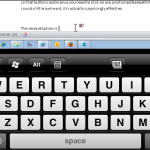
The value of a remote access tool is difficult to appreciate until you try one for the first time. Using the right software, it is possible to sit at home and work with your computer in the office as if you sat in front of it. This can be achieved with desktop software such as LogMeIn, but there is also a version available for iOS in the form of LogMeIn Ignition. It may sound adventurous to consider accessing your desktop PC or Mac from your iPhone or iPad, but that is precisely what the app enables you to do.
All you need to do to get started is to install the desktop software on your computer and the app on your iOS device. You can then create a LogMeIn account which you can then use to control which computers are able to gain remote access. For the purposes of security, no computer will be granted access without the correct password, and IP address filtering can be used to increase protection further. An on-screen message is displayed on your Mac or PC whenever a remote session is started so you can terminate any unauthorised sessions that may be started.
OpenOffice.org 3.3 is ready -- download it now

It's taken quite some time, and no less than 10 Release Candidate builds, but all the preparations are about to pay off -- the final release of OpenOffice.org 3.3 officially released today, and it's packed with handy new features that, taken together, make the suite significantly more comfortable to use.
All the major apps now come with a new Find toolbar, for example, allowing you to quickly search a document's text. Charts may be enhanced with drawing objects. In a click or two you can insert anything from lines, rectangles or text for simple captions, say, up to cubes, symbols, blocks, even flowcharts. The Calc spreadsheet now supports 1,048,576 rows, up from 65,536.
Network Edition brings CCleaner capabilities to IT organizations

Piriform Software has released a brand new version of its popular cleaning tool for Windows. CCleaner Network Edition is aimed at corporations wishing to use CCleaner's capabilities across an entire network. It's designed to be managed from a single central location, allowing IT managers to set up one cleaning profile that's implemented consistently across all workstations running CCleaner. Prices start from $250 for 10 computers, although Piriform is currently offering a 20 percent discount during the program's launch period.
Hot on the heels of the Network Edition's release, Piriform has also updated the standalone edition of CCleaner, which is free for personal and non-commercial use. CCleaner 3.03 adds support for three minor browsers -- including Chrome Plus -- alongside its existing support for Internet Explorer, Firefox, Google Chrome, Safari and Opera.
Tip: How to change your Mac start-up screen
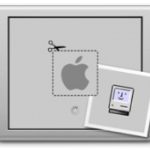
Apple is as much about its looks as its substance, which begs the question: why that drab, grey start-up screen with the darker grey Apple logo superimposed over it? Hardly inspiring stuff when you boot your Mac first thing in the morning.
Thankfully, there's a free tool out there that can help you transform this dull and uninspiring backdrop into something more colorful and personal. BootXChanger runs on Intel Macs sporting Mac OS X 10.4 (Tiger) or later, and is simplicity itself to use.
Microsoft launches 30-day trial version of Office 2011
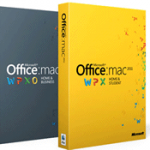
In a move that signals the company's keenness to take full advantage of the increasing popularity of the Mac format, Microsoft has announced the availability of 30-day trial versions of Office for Mac 2011. The trial version of the office suite is for the Home & Business edition, which means that it includes Outlook and gives users the opportunity to try out all of the components of Office.
The release of a trial version of the office suite is likely to please PC users who have recently made the move to OS X, as it enables them to work with familiar software. It also enables Mac users who have previously avoided Microsoft software to take the suite for a test drive without having to part with any cash.
LibreOffice releases first stable build
The Document Foundation has released its first stable build of LibreOffice. Version 3.3 arrives ahead of schedule thanks largely to the growth in developers who have contributed to LibreOffice since its first appearance in September 2010. The number has mushroomed from under 20 to over 100, allowing LibreOffice to exceed the "aggressive" targets set by its founders when this offshoot from OpenOffice was first announced.
LibreOffice 3.3 introduces 10 new features to the program, many of which are exclusive to LibreOffice. Examples include the ability to import SVG graphics directly into the Draw application and edit them interactively. Title pages are now easier to create in Writer thanks to a new dialogue box, while a new Navigator view helps simplify the navigation of large documents. There are a number of new import filters too, including support for Microsoft Works and Lotus Word Pro, while the Corel WordPerfect filter has also been improved. There are also a number of extensions bundled across the suite, such as the Presenter View in Impress.
Roxio Video Lab HD provides a capable suite with plenty of interesting tools
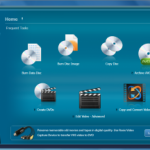
The consumer video editing market is a competitive place, packed with impressive-looking apps, each vying for your attention. And yet, Roxio's new Video Lab HD, originally a component of Roxio Creator 2011, still manages to stand out from the crowd, thanks to a lengthy feature list.
The core 32-track video editor, for instance, can import your footage, then apply various corrections, and add professional video or transition effects. It works with standard, High Definition and even 3D footage, being able to import clips directly from many 3D cameras. You don't have one? No problem, the program can also convert your 2D movies or images into 3D.
11 free tools for automating repetitive tasks in Windows

Anyone who's performed the same mindless task more than a dozen times will know the benefits of finding some tool to do the job for you. After all, why take five minutes to perform a set of repetitive commands when you might be able to press a single button, sit back and watch the task whizz by? In this feature we've dug out 11 free tools that are designed to do the hard work for Windows users, so you don't have to.
The tools in question cover a variety of different repetitive tasks: convert and edit a group of images, add AutoText to any application, rename a large group of files quickly, or create powerful scripts that automate processes and tasks across multiple programs and even Windows itself. There's a tool here for everyone, so sit back, press a button, and let your computer take the strain -- after all, that was one of the reasons you bought it in the first place.
Nitro PDF Reader 1.4 adds intelligent hyperlink recognition

Nitro PDF Software has released version 1.4 of their PDF Reader, a small but worthwhile update that contains a number of useful time-saving features. Top of the list is the new intelligent hyperlink recognition, a simple but welcome addition that should help you to bypass a common PDF annoyance.
You've seen it many times: your PDF document includes a URL, but it's in plain text, and therefore clicking it has precisely no effect at all, which is irritating. Nitro PDF Reader actually scans the document ahead of time and converts plain text web addresses into active links, though, so there's no need to manually open a browser window and paste the address -- you can simply click the URL to open a site, as the author intended.
© 1998-2026 BetaNews, Inc. All Rights Reserved. Privacy Policy - Cookie Policy.