So you've upgraded to Windows 10... ready to leave the Insider program?


The wait is finally over. Over the past few months you've downloaded countless gigabytes of Windows 10 related files and now you've had enough. Windows 10 RTM is now installed on your computer and you're happy to stick with a relatively stable version for the foreseeable future.
You've had enough of being a Windows Insider, but how do you stop those pesky preview builds from being downloaded? Thankfully it is very simple to opt out of the Insider program so preview builds will become a thing of the past; here's what you need to do...
How to import iTunes playlists into Groove Music in Windows 10


If you’ve upgraded to Windows 10 you’ll likely have discovered an app called Groove Music. This is the new name for Xbox Music which was included in Windows 8.x.
When you first open the app there’s not much to see. Groove Music is a rather bland looking affair with lots of white space. The app will automatically import music from your PC, although if you’re anything like me, you’ll need to change the location it looks in to get all of your songs and albums added. To do this, and also import iTunes playlists into Groove Music, just follow these instructions:
How to disable Bing Search from Windows 10's Start menu

The Windows 10 Search box next to the Start button lets you search through Windows and the web. Type in a query, and the results will appear in your default browser. The first time you do this you’ll see it’s Bing producing the results.
If you don’t mind that, then great. Move along, there’s nothing to see here. But if you’re not a fan of Microsoft’s search engine, you can easily disable this feature. There is one downside however, and that’s you’ll also lose Cortana as well as Bing. If you don’t mind that, here’s what you need to do.
All the Windows 10 keyboard shortcuts you'll need (and a few more)

Forget touch screens, and moving your mouse, if you want to really want to speed through using Windows 10, keyboard shortcuts are where it’s at.
With the right key presses you can snap windows to where you want them, manage virtual desktops, awaken Cortana, and navigate seamlessly through the new OS like a seasoned professional. Just got Windows 10 today? Learn the following shortcuts, and it will be like you’ve been using it your whole life.
What's your view on Windows 10?

So now that a good number of you have installed Windows 10 (obviously a fair few of you will have been Windows Insiders for a while as well), we’d like to hear what you think of it.
The BetaNews audience has never shied away from passing comment on all manner of stories (it’s what we love about you guys) and Windows 10 has divided opinion pretty much from day one. It’s easy to pick holes in a work-in-progress OS, but now that Microsoft has released the completed version, has it changed your view at all? Do you love it, hate it, or sit somewhere in-between?
How to manage notifications in Windows 10
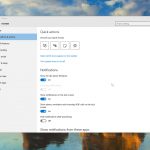
The new Action Center keeps you informed about what’s going on in Windows 10, providing a single place for all of the notifications from Windows and installed apps, and also informing you about new emails, instant messages, Facebook updates, and much more.
Notifications flash up on screen and come from all sorts of places, and if you’re not careful, you can easily find yourself bombarded with alerts. Fortunately it’s easy to trim down which notifications you see.
How to customize the Windows 10 Start menu
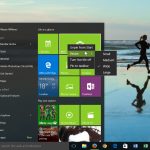
Hooray, Windows 10 has a Start menu. It may not be the Start menu you were hoping for (Windows 7 users I’m looking at you), but it’s there, and easily customized.
You can change the colors, transparency effect, and size and position of the tiles. If you don’t want the tiled interface you can turn this off, and just have a straightforward Windows 7-style menu. Here’s what you can do.
How to make Firefox or Chrome the default browser in Windows 10
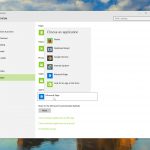
Obviously Microsoft’s Edge browser is the new default choice in Windows 10, and it’s definitely worth giving it a try. I’ve found it to be speedy and surprisingly good. Persevere long enough and you might grow to like it as I have.
That said, if you prefer to use Chrome or Firefox, with all the add-ons and customizations in place, I really couldn’t blame you. Edge isn’t (yet) as flexible, and if you already use Google or Mozilla’s browser for syncing content between devices, then it makes sense to use the same browser in Windows 10. Here’s how to setup a rival browser as the default option.
How to change the default search engine in Microsoft Edge

Windows 10's new modern web browser comes with Bing as its default search engine. This will, of course, surprise absolutely no one. Some people will be more than happy with that choice, but others will prefer to switch to using something different. Like Google.
The process isn’t especially intuitive but it is very straightforward and won’t take more than a few seconds of your time. Here’s how to do it.
How to install Windows 10 on Oracle VirtualBox -- no Windows key required
Now that Windows 10 is officially available, there’s a good chance you’ll be updating your existing PCs to the new OS. There are reasons for and against doing this of course.
If you’re not quite ready to jump aboard Windows 10, you might want to install it in a virtualized environment instead. This way you’ll be able to try it out -- no Windows key required -- without risking your current setup, and see whether you like it or not. It’s certainly worth playing around with.
How to manually trigger your reserved Windows 10 upgrade

If you reserved a Windows 10 upgrade, you were probably expecting it to appear this morning. For many people that was the case, but not for all. There are ways around this problem of course -- you can use the free tool Microsoft released today in order to update your PC whenever you like.
However, if you reserved the update, then you probably just want to get your upgrade through that. And rightly so. Fortunately, there’s a simple little trick you can use.
How to create a bootable Windows 10 USB drive


Microsoft has officially introduced Windows 10, making the new operating system available as a free upgrade, in the first year, to Windows 7 and Windows 8.1 users. Those who cannot take advantage of this deal will have to purchase Windows 10, which is now offered on USB drives, on top of DVDs and digital downloads.
Bootable USB drives are a better option than DVDs, as they can be used on the vast majority of devices in use today, including slim ultrabooks which do not have optical drives. They are also much faster, so the time it takes to install Windows 10 is significantly lower, and pocketable, allowing you to easily carry one wherever you need. If you do not have a bootable Windows 10 USB drive, this detailed how-to guide takes you through all the steps involved in creating your own flash installation media.
Automate login and bypass the lock screen in Windows 10
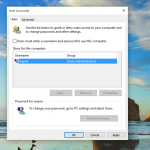
Like Windows 8.x, Windows 10 has been designed with security in mind and requires you to log in before you can start using it. That’s fine, and sensible, but if you’re the only person using your PC, and you’re confident that no one will be able to use it without your permission, or break in to your home and steal it, you might want to skip this stage.
The process of doing so is the same as in Windows 8, and is very simple without the need for registry hacks or complicated trickery.
How to download Windows 10 and create your own installation USB flash drive or DVD
Windows 10 has launched in 190 countries, and if you reserved your copy you should be able to upgrade to it today, or soon afterwards. Microsoft will be notifying users in waves when their upgrade is ready to be installed.
However, for some people the wait may be long, and others have reported problems with the automatic installation. Fortunately, if you’re keen to get the upgrade started, Microsoft has released a tool that will let you download Windows 10 and create your own installation media on either a USB flash drive or DVD.
Will you upgrade to Windows 10?


Microsoft officially launches its newest operating system tomorrow. OEMs like Acer, Lenovo, and Dell are shipping computers loaded with Windows 10, while some of you can claim free upgrades now. But will you? We want to know, as perhaps do other readers considering whether or not to make a go.
To be brutally honest, I seriously considered using headline: "Will you upgrade to Windows Death?" Because: if Windows 10 doesn't succeed it will be the last viable version given the success of Android or iOS; shipments of both mobile platforms either match or exceed Windows computers; and Microsoft's advancing cloud strategy signals the end of Windows as we have come to know it, as the operating system evolves and updates in a manner more like Chrome OS than the big release delivered every few years. Then there is the criticism, much of it in BetaNews comments, that makes upgrading to Windows 10 seem like Death.
© 1998-2026 BetaNews, Inc. All Rights Reserved. Privacy Policy - Cookie Policy.