Microsoft OneDrive is now the place for your photos

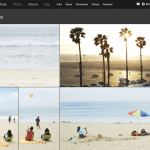
Microsoft wants its cloud storage service to be the best place for all of your photos, and so is debuting new ways to import, organize, find, improve, and share them.
According to Douglas Pearce, OneDrive’s Group Program Manager, major updates coming over the next couple of weeks include: "the ability for customers to curate photos from their phone, desktop and inbox quickly and simply; a new feature that allows you to view, manage, and share photos with Albums; and finally, through a partnership with Bing, customers can now search for their files and photos in a new and exciting way!"
Microsoft Q2 FY2015: The highlights


Microsoft has released its earnings report for Q2 FY2015 (that's Q4 CY2014 for everyone else), revealing figures that closely match analyst expectations. The software giant achieved $26.5 billion in revenue, with operating income coming in at $7.8 billion. Gross margin and diluted earnings per share were $16.3 billion and $0.71, respectively. However, in after-hours trading, Microsoft's shares dropped by $2, or 4.28 percent, to $45 per share.
Microsoft has delivered some good news through its earnings report concerning its Devices and Consumer part of the business. Surface revenue reached $1.1 billion at the end of the quarter, which translates to a healthy increase of 24 percent over Q2 FY2014. Lumia sales topped 10.5 million, which, again, is better than the same quarter from a year prior as well as the previous quarter, Q1 FY2015. And the list goes on.
Get Cortana working in Windows 10 in the UK, and other non-US countries
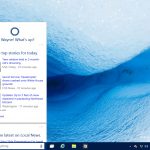
One of the biggest new features in the latest build of Windows 10 is Cortana. Microsoft is bringing its virtual assistant to the desktop, and if you install Build 9926 you can see what she’s capable of right now. Well, you can if you’re in the US at least.
If you live outside of America, in the UK for example, if you summon Cortana you’ll be told she’s "not available to help in your region", which is a bit rubbish. Fortunately, there are ways around this silly restriction.
Unlock Windows 10's hidden secrets
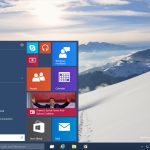
Microsoft released Build 9926 of the Windows 10 Technical Preview on Friday, and so far we’re liking what we see. There are a few issues with it, naturally, but it’s definitely a giant leap in the right direction (for the most part anyway).
There are several hidden features available, but not activated, in this new build, which are well worth exploring and so we’ve put together this handy guide explaining how to get them all working.
Windows 10 Technical Preview Build 9926 hands on -- making good on earlier promises

Windows 10 has been something of a tease so far. There have been hints that it could be a good operating system, protestations that it will be great, but a series of preview builds that have been a little uninspiring. With the release of build 9926, it appears that Microsoft is starting to deliver on its promises. From this release we can see that Windows 10 is actually starting to take shape.
Microsoft is clearly pleased with the progress that has been made because it has simplified the process of upgrading from Windows 7 and Windows 8 -- Windows Update can be used to install the Technical Preview. It might not quite be ready for prime time just yet, but I'm cautiously optimistic even though I've been far from impressed with previous builds. Oh, and before you ask, there's no sign of Spartan just yet. So… what's new and what's improved? Let's take a look.
Windows 10 is the final nail in the coffin for the Linux desktop


For years now, we Linux fans -- yes, myself included -- have been dreaming of the fabled "Year of the Linux Desktop". What does that mean? To have Linux-based operating systems snag a bigger piece of the desktop pie, if not a majority. While a majority share of the desktop is admittedly absurd, a respectable share was always something I considered a possibility.
For some, this desire stems from a hatred of Microsoft and Windows; that is not my stance, however. No, I love both Linux-based operating systems and Windows; I just want Linux distros to get a bit more respect. A lot of work goes into Ubuntu, Fedora and others and it is sad that they are not used by more people. While the consumer hatred of Windows 8 seemed like an opportunity for Linux to grow, sadly, it did not happen. Even sadder? Windows 10 closes the door entirely. The year of the Linux desktop will never happen. Rest in peace.
Windows 10 Technical Preview Build 9926 is much better, but there are known problems
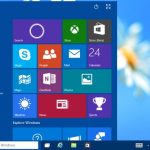
Yesterday, Microsoft took a lot of people by surprise by releasing Windows 10 Technical Preview build 9926 rather earlier than expected. Here at BetaNews we've installed the latest build on various machines -- virtual and real -- having battled with downloads, and now it's time for testing.
We'll be taking a look at this latest build in more depth in future articles, but before we do, it is probably worth pointing out some of the known problems. From playing with build 9926 just briefly it's easy to see that it's a marked improvement on previous releases, but Microsoft has helpfully forewarned users of issues they might encounter.
Tweet translations come (back) to Twitter thanks to Microsoft Bing

After introducing the "while you were away" feature to help ensure you don’t miss out on tweets because of, you know, getting away from Twitter from time to time, there's now another feature that will help you to get more from the microblogging site. By teaming up with Bing, Twitter is now able to provide on-the-fly translations for tweets in foreign languages.
This is not an entirely new feature; Twitter has brought a translation to the web and mobile version of its service before, but it disappeared. Now the feature is back. It works in the iOS and Android apps as well as in Tweetdeck and on the Twitter website.
How to install Windows 10 January Build (9926) on Oracle VirtualBox
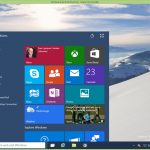
Microsoft has just released the latest build of Windows 10. New features and changes include a more polished Start menu, Cortana on the desktop, new Settings, Photos, Maps and Xbox apps, and the ability to connect to wireless audio and video. As with the previous builds, this is a very early version of the OS, so you wouldn’t be advised to run it as your main operating system, and while you could set it to dual boot, running it in a virtualized environment is probably a more sensible idea.
The process is very simple -- all you need is a copy of Oracle VM VirtualBox and a Windows 10 Technical Preview ISO. Microsoft updated the latter earlier today.
Xbox app now available in Windows 10 build 9926 -- Gamers, download now!

The technology world is still recovering from the epic Windows 10 event. Yes, Microsoft not only hit a home run, but a grand slam with its announcement. The excitement usually reserved for the likes of Google and Apple nowadays, was thrust upon Microsoft; deservingly so. New operating system, Office, HoloLens, Surface Hub -- holy cow, it was one great thing after another.
With that said, gamers were far more excited about the announced Xbox app for Windows. Yes, you can do the things that you'd expect, such as manage your profile and view activity feeds, but there are even more exciting features too.
Windows 10 Build 9926 out NOW -- New features include Cortana, Xbox app, improved Start menu and more
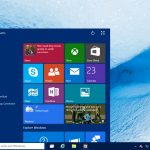
Talk about unexpected. After showing off Windows 10 on Wednesday, Microsoft disappointed a legion of dedicated testers by announcing the next build wouldn’t be available until next week.
Turns out that’s not the case at all -- it’s available to download, and start using right now. The "January Build" as it’s being called (Build 9926 for those who like version numbers), is being pushed out to Windows Insiders on both the "Fast" and "Slow" rings, and is also available in ISO form. While not everything demoed at the Windows 10 briefing is available in the new build, it does come with Cortana on the desktop, a more polished Start menu, a new Settings app, and the ability to connect to wireless audio and video. There’s also new Photos and Maps apps, a new Xbox app, and Windows Store Beta.
Cross-platform support is key to Spartan's success
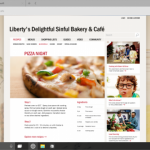
Microsoft revealed earlier this week that Windows 10 will ship with a new browser, known as Spartan. The venerable Internet Explorer will still be around for enterprise duty and certain sites, but the new kid on the block is the one Microsoft wants you to embrace. However, when it is Google's Chrome or Mozilla's Firefox that you have to leave behind, convincing you to jump ship is not going to be easy.
Spartan is clearly no Internet Explorer. It is designed from the ground up as a modern browser, that works well across multiple form factors. It will be found on all PCs, smartphones and tablets that ship with or are upgraded to Windows 10, which means that it, at least, will be readily available to test. But does it have what it takes to pass the test, and become your new favorite browser?
Microsoft goes 'Total Recall' as HoloLens-powered OnSight takes NASA scientists to Mars

I was just a young man when the movie Total Recall was released. My dad and I saw it in the theater and it blew my mind. If you aren't familiar, it is an action/mystery/science fiction film that ultimately takes place on Mars. One of the most famous scenes is where a female alien has three breasts, but I digress. The Schwarzenegger film sparked a curiosity in me about one day actually visiting Mars.
Unfortunately, traveling to Mars is pretty much a death sentence; even if you did survive the long trip there, getting home would be almost an impossibility. In other words, with current technology, you could probably never get back to Earth. In 2015, however, visiting Mars might be easier than we think; virtually, at least. Microsoft is empowering NASA to experience Mars with the all-new HoloLens-powered technology called OnSight. Will the Curiosity rover be getting some company?
Windows 10-powered Surface Hub brings interactive whiteboards kicking and screaming into the 21st century

Surface got off to something of a stuttering start, but Microsoft's sort-of-tablet/sort-of-laptop has gained quite a following as it hit the third generation. With the launch of Windows 10 on the cards, the company is now thinking about not just software, but also new hardware formats. We've seen HoloLens, but the device that could transform both work and education is the Surface Hub.
Announced as an 84-inch Surface, it would be easy to dismiss this as a headline-grabbing gimmick, but it's more than that. Much more than that. It's a tool for the office, a tool for enterprise, and a tool for schools and colleges. This is Microsoft showing how Windows 10 can be used for collaborative work, bringing the interactive whiteboard kicking and screaming into the 21st century.
The potential and pitfalls of HoloLens


Microsoft made some long expected announcements today -- the return of the start menu, one version of Windows 10 across all devices and an attempt to make Windows apps work across those same devices. Unfortunately, the limited overlap between Windows PC developers and mobile developers makes the latter a weak proposition. On the other hand, Microsoft's HoloLens headset may have some potential.
I have long been a believer in the long-term potential of "field of vision" devices (AR and VR) for one simple reason -- despite their downsides, their potential benefits cannot be matched by existing computing platforms. In my opinion, this is a necessary (but not sufficient) condition for triggering a new market disruption. While we are still in the early stages of the technology (think first mobile phone, not first smartphone), I believe we could see increasing consumer interest in this category over the next five years.
© 1998-2026 BetaNews, Inc. All Rights Reserved. Privacy Policy - Cookie Policy.