New Windows 10 preview builds on the way -- time to opt back into Insider updates!


It's now a week since the launch of Windows 10, and if you've missed looking out for the release of new preview builds there's some good news for you. Microsoft disabled preview builds in the immediate run-up to the release of Windows 10, but now you can opt back in.
What does this mean? Now that Windows Insiders have the option of accessing updates from the Fast and Slow rings once again, it's safe to assume that new preview builds are on the way. With the widely-held belief that Windows 10 Service Release 1 is imminent, this is perhaps not entirely surprising -- we may even get a glimpse of Windows 10s first major update.
Clean up after a Windows 10 upgrade and regain loads of disk space

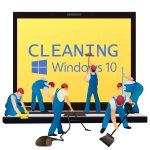
Windows 10 itself has moderate hard drive requirements -- around 16 GB for the 32-bit OS, and 20 GB for 64-bit version -- but the upgrade process can leave behind loads of temporary files that can really impact on your free space.
Browse the root of your system drive, and you’ll probably find two sizable directories -- $Windows.~BT, and $Windows.~WS, as well as a Windows.old directory created during the upgrade. Wondering if you can, or should remove these? It’s a question of lot of people are currently wondering.
Microsoft announces Windows 10-optimized PC accessories


Windows 10 is off to a very successful start. All around the world, users of Windows 7 and 8 are upgrading to the new version at a furious pace. This is a very smart move, as for the first time ever, a major update to Microsoft's operating system is being offered to the masses at no charge.
While Windows 10 should run absolutely fine on existing computers and current accessories, that doesn't mean there can't be improvements. Today, Microsoft announces updates to its well-respected line of mice and keyboards, with a focus on Windows 10. Will you upgrade your keyboard and mouse to its new offerings?
Microsoft Surface 3 and Surface Pro 3 now come with Windows 10 preinstalled
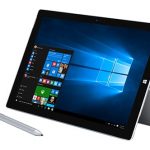
If you’ve been thinking of buying either Surface 3, or Surface Pro 3, but have been waiting for Windows 10 to arrive, now is the time to get your wallet out.
Microsoft has started shipping both of its slates with Windows 10 preinstalled. Surface 3 comes with Windows 10, while Surface Pro 3 has Windows 10 Pro onboard.
Enterprises should adapt to Windows 10, not work around it


Microsoft’s move to continuous updates is a fundamental change. Most significantly, those components traditionally shipped as part of a major release will now be available as independent apps.
This means innovations within these apps can be made available when they are ready, not held up for the next big operating systems (OS) update.
Acer Aspire One Cloudbook is a Windows 10-powered Chromebook killer

When Google's Chromebooks came onto the retail scene, consumers were dubious, and rightfully so. After all, for the most part, the operating system appeared to be nothing more than a web browser. While Chrome OS is actually a full-fledged Linux distribution, the focus is on the web browser, so consumers aren't far off -- perception is everything.
While Chromebooks can be a great option for people with limited computing needs, Windows 10 offers so many more possibilities. Despite limitations, what kept Chromebooks semi-popular, was the low cost. Unfortunately for Google, that benefit is short-lived. Today, Acer announces its Aspire One Cloudbook line. With super-low prices and Windows 10 Home, these are sure to be wildly popular; consumers may forget about Chromebooks altogether.
You don't need to use a Microsoft Account to download apps from Window 10's Store
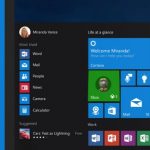
With Windows 10, Microsoft is particularly keen for you to use a Microsoft Account. It's something that was present in Windows 8, and it is still billed as a way to sync settings and apps between computers. While you may be encouraged to use a Microsoft Account, it is not necessary -- you can use a local account, but if you decide to download apps from the Store, you'll be prompted to switch this to a Microsoft Account.
If you're concerned about the privacy implications of using a Microsoft Account, you may want to avoid using it whenever possible. Sign into the Store with a Microsoft ID, however, and you'll find that your local account is converted into a Microsoft account. Here's how to download apps without having to switch.
Windows 10 will be a great operating system -- when it's finished

It could be said, with Windows now a service, Windows 10 will never truly be finished, but the truth is the version of the new operating system that’s out now is a long way from being polished enough for prime time. It’s like an Insider Preview build that’s been released entirely in error.
In an effort to wash away the stench of Windows 8, Microsoft has chosen to rush release Windows 10, and the result is an operating system that is clearly still very much a work in progress. The new OS isn’t anywhere near as half-baked as Windows 8 was when that launched, but there are still far too many issues to be ignored. Put bluntly, it's a bit of a mess in places.
Free up space in Windows 10 by removing unwanted core apps
Windows 10, like previous versions of Microsoft’s operating system, comes with a selection of bundled programs -- or apps these days -- which you probably have no need for.
Uninstalling apps is a pretty straightforward process, you can do this through the Start menu, but removing core applications isn’t as easy. The uninstall option is not available, meaning you’re stuck with a bunch of apps you don’t want. You can however, remove these using PowerShell.
Windows 10 gets enterprise services courtesy of HP


Windows 10 has been officially out for less than a week and the news it has generated doesn't seem to stop. From download numbers to new devices, things keep pouring in. Now HP is heading in a different direction, one aimed at businesses.
HP is announcing a full suite of products geared towards the enterprise market. "HP, a Preferred Provider of Microsoft cloud productivity and mobility solutions, now offers the most comprehensive portfolio of services available for the Microsoft enterprise ecosystem which includes Enterprise Services for Office 365, Readiness Workshop for Office 365, Enterprise Mobility Suite, Skype for Business and the new Windows 10 enterprise suite of services", the company states in the announcement.
Sound problems in Windows 10? Here are some workarounds

Windows 10 is now available to all. During the testing period, numerous preview builds were released, each bringing its own set of problems. This post was originally written to help fix audio problems in build 10041, but the suggestions still work in the final release.
If you have problems with the installation of a Realtek driver, don’t get the full audio experience with VIA HD Audio, or have issues with Conexant audio, there's a workaround for you to try.
How to check that Windows 10 is activated
There has been so much confusion surrounding the release of Windows 10 -- is it free or not, what version do you get, who is eligible to upgrade? -- that you may well be wondering if your copy is properly activated. Perhaps you performed a clean install of Windows 10, maybe you upgraded from Windows 7 or Windows 8, or perhaps you’ve remained on the Insider program; you still want to be activated.
It is quite easy to check that you have a legitimate and fully activated copy of Windows 10 installed. Just use the steps below and you can check activation status in next to no time.
How to fix 'Device limit reached' errors in the Windows 10 Store
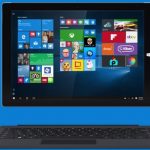
You may have bought yourself a new computer with Windows 10 pre-installed, or you may have manually upgraded your older machines. Whatever route you have taken to Windows 10, the chances are that you will end up in the Store at some point in order to download apps.
We've already looked at what you can do fix the 0x803F7003 error that can plague the Store, but this is not the only issue that can arise. When you try to install an app you may see an error message that reads Device limit reached. Not a problem -- here's what to do.
How to fix 0x803F7003 errors in the Windows 10 Store
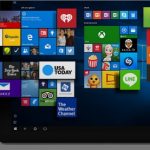
With Windows 10, Microsoft is pushing apps more than ever, and this means that users are being encouraged to spend more time browsing through the Store. For anyone upgrading from Windows 8 to Windows 10, using the Store will probably be nothing new, but for those moving from Windows 7 to Windows 10, it is a different story.
Just as with any piece of software or service, the Windows Store can prove problematic from time to time. One error that frequently crops up is error 0x803F7003. If you've seen this when trying to download apps from the Store in Windows 10, here's what you need to do to fix it.
Best Buy cashes in on free Windows 10 upgrades

It has been mentioned ad nauseum that Windows 10 is free. While retailers would normally make a killing through sales of a new version of Windows, this time around they are missing out. Not a company to shy away from raking in a few bucks, Best Buy has come up with a money-making solution to keep its finance department happy.
The secret formula involves taking advantage of the ignorance of people who are not particularly computer literate, and squeezing them for every cent possible. The chain might not be able to make much money selling copies of Windows 10, but it can sure as hell try to monetize the installation process and training.
© 1998-2026 BetaNews, Inc. All Rights Reserved. Privacy Policy - Cookie Policy.