Windows 10 is the final nail in the coffin for the Linux desktop


For years now, we Linux fans -- yes, myself included -- have been dreaming of the fabled "Year of the Linux Desktop". What does that mean? To have Linux-based operating systems snag a bigger piece of the desktop pie, if not a majority. While a majority share of the desktop is admittedly absurd, a respectable share was always something I considered a possibility.
For some, this desire stems from a hatred of Microsoft and Windows; that is not my stance, however. No, I love both Linux-based operating systems and Windows; I just want Linux distros to get a bit more respect. A lot of work goes into Ubuntu, Fedora and others and it is sad that they are not used by more people. While the consumer hatred of Windows 8 seemed like an opportunity for Linux to grow, sadly, it did not happen. Even sadder? Windows 10 closes the door entirely. The year of the Linux desktop will never happen. Rest in peace.
Windows 10 Technical Preview Build 9926 is much better, but there are known problems

Yesterday, Microsoft took a lot of people by surprise by releasing Windows 10 Technical Preview build 9926 rather earlier than expected. Here at BetaNews we've installed the latest build on various machines -- virtual and real -- having battled with downloads, and now it's time for testing.
We'll be taking a look at this latest build in more depth in future articles, but before we do, it is probably worth pointing out some of the known problems. From playing with build 9926 just briefly it's easy to see that it's a marked improvement on previous releases, but Microsoft has helpfully forewarned users of issues they might encounter.
How to install Windows 10 January Build (9926) on Oracle VirtualBox

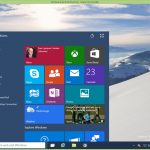
Microsoft has just released the latest build of Windows 10. New features and changes include a more polished Start menu, Cortana on the desktop, new Settings, Photos, Maps and Xbox apps, and the ability to connect to wireless audio and video. As with the previous builds, this is a very early version of the OS, so you wouldn’t be advised to run it as your main operating system, and while you could set it to dual boot, running it in a virtualized environment is probably a more sensible idea.
The process is very simple -- all you need is a copy of Oracle VM VirtualBox and a Windows 10 Technical Preview ISO. Microsoft updated the latter earlier today.
Windows 10 Build 9926 out NOW -- New features include Cortana, Xbox app, improved Start menu and more
Talk about unexpected. After showing off Windows 10 on Wednesday, Microsoft disappointed a legion of dedicated testers by announcing the next build wouldn’t be available until next week.
Turns out that’s not the case at all -- it’s available to download, and start using right now. The "January Build" as it’s being called (Build 9926 for those who like version numbers), is being pushed out to Windows Insiders on both the "Fast" and "Slow" rings, and is also available in ISO form. While not everything demoed at the Windows 10 briefing is available in the new build, it does come with Cortana on the desktop, a more polished Start menu, a new Settings app, and the ability to connect to wireless audio and video. There’s also new Photos and Maps apps, a new Xbox app, and Windows Store Beta.
Cross-platform support is key to Spartan's success

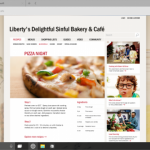
Microsoft revealed earlier this week that Windows 10 will ship with a new browser, known as Spartan. The venerable Internet Explorer will still be around for enterprise duty and certain sites, but the new kid on the block is the one Microsoft wants you to embrace. However, when it is Google's Chrome or Mozilla's Firefox that you have to leave behind, convincing you to jump ship is not going to be easy.
Spartan is clearly no Internet Explorer. It is designed from the ground up as a modern browser, that works well across multiple form factors. It will be found on all PCs, smartphones and tablets that ship with or are upgraded to Windows 10, which means that it, at least, will be readily available to test. But does it have what it takes to pass the test, and become your new favorite browser?
Windows 10-powered Surface Hub brings interactive whiteboards kicking and screaming into the 21st century

Surface got off to something of a stuttering start, but Microsoft's sort-of-tablet/sort-of-laptop has gained quite a following as it hit the third generation. With the launch of Windows 10 on the cards, the company is now thinking about not just software, but also new hardware formats. We've seen HoloLens, but the device that could transform both work and education is the Surface Hub.
Announced as an 84-inch Surface, it would be easy to dismiss this as a headline-grabbing gimmick, but it's more than that. Much more than that. It's a tool for the office, a tool for enterprise, and a tool for schools and colleges. This is Microsoft showing how Windows 10 can be used for collaborative work, bringing the interactive whiteboard kicking and screaming into the 21st century.
Microsoft shows off Office for Windows 10 and reveals Office 2016 plans
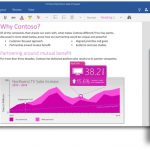
Microsoft told us a lot about Windows 10 yesterday (it's free!), as well as the future direction of some other interesting projects such as HoloLens and the Spartan browser. We did get a brief glimpse at the touch-friendly versions of Office apps for Windows 10, but today Microsoft also reveals more about the next desktop release -- Office 2016.
In keeping with Microsoft's latest vision, the focus with Office moving forward is "mobile-first, cloud-first". We'll be able to try out Office for Windows 10 very soon as the universal apps are due for release for Windows 10 Technical Preview very soon, and the final version will be pre-installed -- for free -- on phones and small tablets. Some of this we knew yesterday, but talk of Office 2016 is new!
Microsoft's Windows 10 has tight Skype integration -- are Google Hangouts and Apple iMessage in danger?
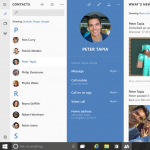
I have been having difficulty staying in touch with friends and family lately. The problem? Everybody is using different services! Apple fans are on iMessage and Facetime. Google users are on Hangouts. Other people embrace Facebook Messager or SMS. Quite frankly, it is maddening. Lately, I have been considering embracing Skype, as it works on Windows, Linux, OS X, iOS, Android and Windows Phone. In other words, I don't have to worry about the platform the other person is on. I can have my friends and family use Skype to get in contact with me.
Luckily, Windows 10 will have Skype installed by default, meaning every user of that operating system can easily access it. I will not have to instruct people how to download and install it -- this is huge. Not only is it installed, but tightly integrated into the OS. Plus, with Lync being transformed into Skype for Business, Microsoft's communication solution may be poised to dominate.
I'm sold on Windows 10, but are you?

Windows 10 is shaping up to be the best Windows yet. I am still wrapping my head around it, but after going through most of the changes I think there are a ton of things to like about it, which is an astonishing achievement. Microsoft really managed to surprise me, and I didn't expect that, to be perfectly honest.
However, what seals the deal for me is how all the changes tie together. I can now say that there are clear benefits to using the latest Windows across all devices that support it. It makes total sense, for the first time. In fact, without even trying the new Preview release, I am sold on Windows 10. Count me in as one of the first to make the switch on all of my devices!
The Windows 10 presentation gets an A -- for Apple

Yesterday’s Windows 10 briefing was weird. I mean that in a good way. Microsoft went all Apple on us, aping much of the style and presentation of its rival, right down to the "one more thing" which turned out to be a crazy holographic nerd helmet that was nowhere near finished and can’t yet do most of the things claimed for it. But has potential.
In the aftermath of the presentation tech writers began asking questions like "When did Apple become the boring one?", and that would have raised a smile or two at Redmond. Microsoft needed to shake off its reputation of a firm which makes dull, or flawed "me too" products, and for the main I think it succeeded.
Watch the entire Xbox on Windows 10 presentation [video]

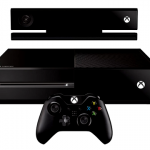
Just yesterday Microsoft held its big Windows 10 event -- you likely may have seen something in the news about it. Sort of hard to miss. There was much more to the show than just a new operating system. Surprises included HoloLens and more. One thing that featured prominently was the company's gaming console.
Yes, Xbox will be a part of Windows 10, and a big one if Phil Spencer is to be believed. The head of this wing of Microsoft did an extensive presentation during the event. According to Spencer, games are about being social, and that is one of the things the company tried to work into this. He also talks about gaming as a personal experience.
Hey Apple, you can learn a thing or two from Microsoft's Windows 10 event

There once was a time when the entire world would anticipate an Apple launch event. While there is still some interest nowadays, much of it dissipated when Steve Jobs died. In other words, most of the magic was Jobs -- he was a genius innovator, but more importantly, an epic salesman.
Tim Cook is a nice fellow, but he just is not Jobs. Today, some of that launch event magic returned, but it was not by Apple and not in California. Nope, this was Microsoft's day to shine -- a sea change if you will -- as the winds of innovation came to the state of Washington. Unlike Apple, this is no one man show; Microsoft's presentation was a team effort, where products were more important than the presenter. I hope Tim Cook and the fruit-logo company were taking notes today.
Microsoft steps into the future with HoloLens, holographic computing meets virtual reality
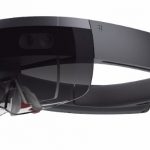
Today's Microsoft event was almost entirely about Windows 10 as expected, but there were a couple of surprises too. Among these was HoloLens a virtual reality, augmented reality, Google Glass hybrid that makes use of holograms for a totally immersive experience. We're used to Microsoft offering a unique window on the world, but this is something completely different.
Like Google Glass and virtual reality systems before it, HoloLens relies on a headset, and this is used to overlay holographic objects onto physical objects in the real world. Like the idea of a massive monitor filling your living room wall? Rather than splashing out on a colossal screen, HoloLens could make it appear as though you have the screen of your dreams.
Catch up on the Windows 10 briefing in seven and a half minutes
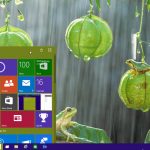
The Windows 10 briefing offered up a lot of interesting things, but with a running time of just under two and a half hours, you are going to need to really, really love Microsoft and Windows to sit through it all.
Fortunately, you don’t need to commit yourself to the full briefing as Microsoft has rolled out a 7.25 minute video covering the highlights.
Microsoft introduces Project Spartan, Windows 10's new web browser that replaces IE
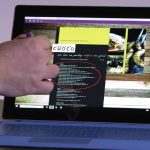
At the Windows 10 event today, Microsoft had a lot to talk about -- not least that Windows 10 itself will be free. But Windows 10 is all about the details, and on top of the likes of Cortana and the new notification center, Corporate Vice President of Operating Systems at Microsoft, Joe Belfiore, also revealed Spartan, the web browser that will replace Internet Explorer in Windows 10.
That's not to say that Internet Explorer is dead and buried. You'll still find the famous blue e icon waiting to be clicked if you want, but Spartan will be the new default browser. So what does Spartan have to offer that will act as a lure away from Chrome and Firefox? To kick things off, there's Cortana support.
© 1998-2026 BetaNews, Inc. All Rights Reserved. Privacy Policy - Cookie Policy.