

Google makes it easier to send money through Gmail


Think about how to send money electronically and it’s probably PayPal that springs to mind first. But if Google gets its way, Google Wallet is about to become much more popular. For anyone in the US, Google Wallet is now integrated into Gmail meaning that it is possible to send money as easily as sending an email.
Sending money works in much the same way as attaching a file to a message -- you can attach payment to an email just as you would an image or other file. You may not see it just yet -- Google plans to roll the feature out over the next few months -- but once activated you’ll see a $ button at the bottom of the Compose window. It’s clear that Google is making electronic payments as simple as possible to help the company take a bigger share of the electronic payment pie.
Google's new Hangouts messaging system makes it easier to keep in touch with friends

There were a lot of big unveilings at Google I/O -- an overhaul of Google+, updated maps, an on-demand music streaming service, and much more. But perhaps one of the most intriguing revelations was Hangouts.
This name may well seem familiar, but it now refers to a unified messaging system that caters for iOS, Android and Chrome users. There are apps and extensions available for each of these platforms, and the idea is to bring all Google related communication into one place.
BBC iPlayer ‘app’ hits the small screens of Windows Phone 8
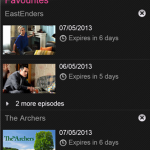
BBC iPlayer has long been the go-to service for catching up on TV and radio shows. The web-based version has been available for years, and iOS and Android users have their own mobile versions to use on phones and tablets. Having been promised back in March BBC iPlayer is now available for Windows Phone 8.
In terms of functionality, there’s little to differentiate this from its Apple and Google counterparts. The app has been a long time coming, but in reality the BBC iPlayer app is little more than a wrapper for the mobile iPlayer website.
FatBatt maximizes the life of your PC's battery
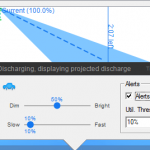
Using your laptop on the move can mean having to dart from one power source to another. Whether you have a new laptop with a brand new battery, or an aging system with a battery that has seen better days, the amount of time you can use your computer without plugging in is of paramount importance. There are steps you can take to maximize the life of your battery, and it is also something that FatBatt can help you with.
There are several facets to the app. Firstly, it aims to give you an accurate estimate of how long your battery is going to last before you need to charge it up. This enables you to make informed decisions about how to use the time available to you, and how to manage your next charging session.
Miranda NG is a multi-protocol IM client with style

Perhaps the most frustrating aspect of instant messaging is the sheer number of different services and clients that are available. While there has been a degree of convergence over the years, there is still a high chance that if you want to be able to communicate with all of your friends, family and colleague through instant messaging, you’re going to need to have a few clients installed. This might not be the case if you try out Miranda NG, though.
Out of the box there is support for a fairly impressive range of chat protocols -- IM, GG, ICQ, IRC, Jabber, MSN and Yahoo -- but this lit can be greatly expanded through the use of plugins. Amongst others, it is possible to add support for Facebook chat, Twitter, Skype and XFire.
Toasts&Tiles manages Gmail in Windows 8

What do you do when you need to check your email? Fire up Outlook or Thunderbird? Launch Chrome and head over to the Gmail website? Having to do this throughout the day is a waste of time, and it’s a waste of time that Toasts&Tiles for Gmail aims to address. As you’d probably guess from the name, this is a Gmail client that includes support for toast notifications as well as live tiles.
With the app running constantly in the background, you will be notified whenever a new email hits your inbox. There’s no need to keep manually checking, breaking away from what you’re doing and losing your train of thought -- if there’s something you need to know about, the app will let you know.
Hey, Gmail users, Mailbox for iOS is now available, without reservation or waitlist
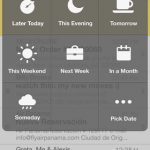
Gmail shows little sign of becoming any less popular, but any iOS user will find that dealing with a Gmail account on an Apple device is not the most pleasant experience. Mailbox was released to help address this fact and proved so popular that newcomers were greeted by a lengthy waiting list before they could get started. The app has now been updated in a number of key areas and, perhaps most importantly, anyone is free to jump right in and get started without the need to wait on a reservation list.
This is obviously great news for people who have been waiting to try out the app, but there is also plenty for existing users to take advantage of. One of the major standout features of the app from its inception was the way in which emails could be dealt with using little more than a swipe; swipe one way to delete or mark as read, and the other way to snooze.
Clover 3 adds tabs and additional navigation features to Explorer

What’s the one thing that is missing from Windows Explorer? Actually, there’s probably more than just one thing missing, but what is the most obvious? Tabs. They are now so ubiquitous in web browsers that it’s unlikely you give them a second thought; they’re just there and you use them. Why should your file browser be any different? This is an anomaly that the developers of Clover felt had to be put right with the latest release.
Aside from the addition of tabs to Explorer -- which means that it is possible to deal with multiple folders in a single window -- there are a number of other changes in this latest released. For anyone concerned with aesthetics, support for themes means that the look of the program can be completely changed.
Everything.me launcher dynamically adapts to what you’re doing right now
Unlike iOS, Android devices can be very easily customized without the need to jailbreak or root them. This means that there is an ever-growing market in third-party launchers that enable phone and tablet users to try out a variety of new ways to access the apps they have installed on their device. While cosmetically different and packed out with a range of extra features, most launcher are generally fairly similar, but this same cannot be said of Everything.me which adapts itself according to what you are doing and where you are.
The idea is simple. Launching apps and accessing information is now seen as being the same thing. Looking for a recipe you have stored in an app you use? Type ‘recipe’ and a list of corresponding apps will show up. In addition to this, you’ll also be shown a list of related websites so you can check out other recipes online. Breaking down, or at least blurring, the barriers between local apps and online services is an interesting approach.
Can't connect? oStream makes Facebook available offline

Checking Facebook on the move is a great way to keep in touch with friends and keep up to date with what is going on. But when you are moving about you will invariably hit an area where there is poor signal, and you find that the official Facebook app can be a little on the slow side even at the best of times. oStream offers a possible solution by synchronizing your contents so it is available for offline reading.
Even for those who will own up to being addicted to Facebook, the official Facebook app is far from being without problems. It can be slow and cumbersome to use, awkward to navigate -- generally a bit of a pain. In addition to making your newsfeed available offline, oStream also has the added benefit of running much more quickly that the Facebook app -- or many popular alternatives for that matter.
Status Board brings a touch of Android to iPad
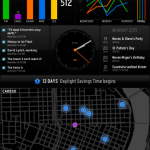
When you pick up your iPad, it’s usually with a purpose in mind. You might want to see how many new emails you have, you need to check RSS feeds, or you want to have a scan through Twitter. Each of these activities requires an individual app, and that means that you need to hunt down the relevant shortcut on the home screen. But Status Board could change all that, by displaying the data you need to see in a handy dashboard that gives you a great overview of your data.
This is a handsome app that almost feels as though it would be more at home on an Android tablet -- it could be adapted into a perfect alternative launcher -- but at the moment is only available for iPad users. There is a slightly retro feel to the app, which enables you to configure a series of customizable panels to display a selection of data.
Jam with Google Play Music Manager

The cloud is now used for many things, from simply storing documents, to create and editing files online. Google Play, in addition to many other things, offers a place to store up to 20,000 tracks that can then be listened to online or with a range of mobile devices. This number relates only to songs from your "personal collection" and is in addition to any purchases you make. Google Play Music Manager is the tool you need to get everything up and running.
Install and launch the app, sign into your Google account and you’ll be asked where you current music collection is stored. There is support for iTunes and Windows Media Player, but there’s also the option of just opting to work with files stored in My Music, or any other folder for that matter. If you have your music scattered across multiple folders, you can add them all to your Google library.
Microsoft releases SkyDrive 3 for iOS
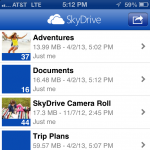
There’s certainly no shortage of cloud storage services to choose from these days and Microsoft’s SkyDrive provides a fairly generous 7GB of space free of charge. The latest version of the iOS app sees compatibility extending to include not only the iPhone 5, but also the iPad Mini, and there are also a few new features to explore.
The latest release comes after Apple blocked updates to the app following Microsoft’s launch of a subscription model. This could be one of the reasons that it is now not possible to sign up for a SkyDrive account from within the SkyDrive app -- if you have an account already you’ll be able to sign in straight away, but if you need to create one, you will have to head over to the website to do so.
Miro Video Converter 3.0 formats content for Android and iOS devices

There are numerous video formats to choose from and you will at some point encounter a file that is not in the format you need to play back on a particular device. If you own an Android or iOS device, Miro Video Converter is on hand to help you to convert almost any video file into a format that can be played back on your mobile device -- most importantly, using the settings and resolution you feel most appropriate. Miro Video Converter 3.0 adds a number of important new options, including batch processing for the quick conversion of multiple files.
Batch conversion is the killer feature of the updated app, but it is far from being the end of the story. There is also a redesigned UI to work with, and you may be pleased to hear that it appears to be in no way inspired by the look of Windows 8. While the program can be used to convert video ready for all sorts of different purposes, it is particularly well suited for converting footage ready for viewing on mobile devices. The plethora of different screen sizes and aspect ratios is reflected in the range of formatting options that are available in the latest version of the program.
SiSoft Sandra 2013 supports Windows 8
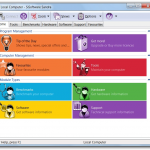
The respected system benchmarking and analysis tool SiSoft Sandra has been updated to the 2013 version bringing not only support for Windows 8 but a raft of other enhancements. Of course, support for the latest version of Microsoft’s operating system is only to be expected, so it’s interesting to look elsewhere to see where updates have been made. Users of one of the commercial version of the program can take advantage of a new update notification system that provides details of available updates for drivers and BIOSes.
SiSoft Sandra is a valued benchmarking utility and the 2013 release includes changes to the way benchmarking is carried out. It is always possible that a particularly low or high benchmark result comes about as a result of a problem with a piece of hardware. A new Device Performance Certification compares the benchmark results for different devices with other Sandra users to determine average results, making it possible to weed out results which are unusual one-offs.
Sofia Elizabella's Bio
Sofia Wyciślik-Wilson is a queer, transgender journalist based in Poland. She has been writing about technology for more than two decades, and after years working for magazines, her writing moved online. She is fueled by literature, music, nature, and vegetables. You can find her on Bluesky and Mastodon. If you like what you read, you can Buy her a Coffee!
© 1998-2026 BetaNews, Inc. All Rights Reserved. Privacy Policy - Cookie Policy.