

Spend your vacation with one of these 18 software downloads


The release of Windows 8 draws ever closer and this means that there is a slew of apps being updated to add support it. Paragon Image Backup for Windows 8 is one such program, giving you the chance to backup and restore your data free of charge. Fans of system tweaking and optimization should take a look at Auslogics Disk Defrag 3.5.0.0 and Auslogics BoostSpeed 5.4.0.0, which can be used to ensure the best possible performance from your hard drive as well as giving you a raft of tools to help boost the speed of Windows.
Whether you’re upgrading to Windows 8 or not, you should keep an eye on your internet connection to check how it is being used by different programs, or malware, and this is something that Net Guard 2.0.7.0 enables you to do. This week also saw the release of Windows Essentials 2012, the latest collection of free tool from Microsoft including Live Messenger, Movie Maker, SkyDrive and more.
Auslogics BoostSpeed 5.4.0.0 supports Windows 8, IE10

Who doesn’t love a good tweaking tool? Everyone likes the idea of being able to boost the performance of their computer without having to shell out on potential expensive hardware and Auslogics BoostSpeed is an extremely accomplished utility that enables you to do just this. The latest version of the program is a major upgrade that sees not only added support for Windows 8 and Internet Explorer 10 but also new options that make the app and even more powerful tool for cleaning up and optimizing your computer.
The imminent release of Windows 8 is big news for all software developers, and the latest release of Auslogics BoostSpeed not only supports the operating system, it also allows for control of Metro processes as added new tweaks to the Tweak Manager (Yes, we know Microsoft dropped the Metro name). The existing cleanup tools have been enhanced so you will notice that there are new categories available in the Registry Cleaner, Track Eraser and Disk Cleaner making it easier than ever to protect your privacy and delete sensitive data -- these improvements extend to the wiping of USB drives.
Pixelmator 2.1 supports Retina Display, iCloud sync
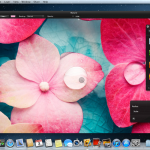
If you’re looking for a powerful image editing tool, the likes of Photoshop are going to spring to mind first. But there are plenty of much lower cost tool available that are more than adequate for the job, and one of these app is Pixelmator. This is an image editing package that has been around for some time, and the seemingly minor update to version 2.1 brings about the introduction of a number of important new features and options.
It makes sense for any image editing app to offer the best possible visual performance, and this is something that is greatly helped by the addition of support for Retina Display. This means that you can view the images you are working on greater detail than ever before and the UI is also made more accessible due to the clearer buttons and toolbars. There’s also support for Mountain Lion now, but there are more changes and additions to explore.
Your Windows programs can PlayOnMac

So, you’ve made your choice between Mac and PC and decided that OS X is the operating system for you. But whatever personal choice you may have made, there are various reasons why you might need to turn to Windows software from time to time. While it is less common with big-name applicaions these days, there are still numerous titles that are not available for OS X. If your work requires you to use such a program, PlayOnMac could be just what you have been looking for.
Working much like the likes of Wine -- in fact the software is based on Wine -- this is an emulation tool that enables you to run Windows software on your Mac. This is not a unique piece of software by any means, but PlayOnMac is designed to be easier to use than Wine, and it does not have a price tag like the comparable Parallels does.
Heat up August with one of these software bargains

The Downloadcrew Software Store is a great place if you’re looking for a software bargain, but with so much to choose from, it can be difficult to know just where to begin. Security and tweaking is a very good place to begin, and you can save 77 percent off the MSRP when you buy AVG Premium Security Complete Bundle for just $29.95. This exclusive deal gives you everything you need to keep yourself safe online and include four great AVG products.
Everyone wants to get the best possible performance from their computer and this is something that AVG PC Tuneup 2012 [1-PC, 1-Year] could help with. For just $8.95 -- saving your 78 percent off the MSRP -- you cn tweak and optimize your system in next to no time, and there’s an even better deal availbale if you want to take care of multiple computers. AVG PC Tuneup 2012 [3-PC, 1-Year] gives you the same great tuneup options, but it can be installed on up to three computers. This could be yours for just $10.95, saving you 78 percent. AVG Internet Security 2012 Plus Bundle is another great selection of four AVG products that could be your for just $29,95 -- saving you a massive 80 percen off the usual MSRP of $149.
Don't download, make a Mountain Lion install disk

Like its predecessor, Apple’s most recent version of OS X, Mountain Lion, has been made available in the app store. From Apple’s point of view this helps to dramatically reduce production costs, and these saving can then be passed to customers who reap the benefits of cheap upgrades. But what the online installer model fails to take into account is that many people have to work within monthly download limits put in place by their ISP -- this is something that Lion DiskMaker can help with.
Whether you have a single computer to upgrade, or want to bring your entire fleet of Macs up to date with Mountain Lion, it is quite possible that downloading a large installer could push you over your monthly limit, possibly resulting in hefty charges. If you have more than one computer you would ordinary have to download the installer separately for each machine. You might think that you could simply copy the installer but this is not easily achieved.
Roundup – 22 updates and new downloads to kick off August

The end of July and the beginning of August have seen the release of a number of important apps and updates. If you’ve found it hard to keep to speed with what has been going on in the world of software, this roundup is here to help. SoftMaker FreeOffice 1.0.3340 is a free alternative to Microsoft’s office suite that is capable of producing Office compatible documents as well as PDFs. The news that Windows 8 has been released to manufacturers has rekindled interest in all things Metro, and Immersive Explorer 0.1.1 Alpha extends the look and feel of the Windows 8 Start menu into a fledgling replacement for Windows Explorer. If you’re more interested in storing your documents in the cloud, Google Drive 1.3.3209 has been updated, providing you with access to several gigabytes of free online storage and the ability to sync with your computer. While you’re online, you may well visit Facebook from time to time, and Facebook Messenger for Windows 2.1.4590.0 is a handy free tool that can be used to chat with contacts, monitor status updates and more all from a neat sidebar on your desktop.
Regardless of whether you have a Netgear router or not NETGEAR Genie 2.2.26.50 can be used to take care of it. NETGEAR Genie 2.0.25 (mobile version) is always available so you can use your Android or iOS mobile to perform tasks such as controlling your media and running speed tests. To make your life online easier, you need a decent web browser, and Opera 12.01 FINAL and Opera 12.01 FINAL 64-bit have both been released, with improved performance and better HTML5 support. If you’re more of a Google fans, Google Chrome 21 FINAL and Google Chrome 21 Portable provide you with everything you need including an all-new API for high-quality video and audio communication.
Flutter gives you (basic) gesture control of media via your webcam

Gestures are where it's at these days, with the Kinect add-on for Xbox 360 and the motion controls of the Wii allowing for direct interaction with games and other software. Even mobile devices such as Android and iOS phones and tablets are making greater use of gestures rather than just for menus and buttons. Touchscreen displays for Mac and PC make gesture interfaces possible in Windows and OS X, but Flutter enables you to use your webcam to interact using gestures.
As you can tell from the version number (currently 0.1.185), this is a very early version of the software and things are a little limited at the moment – but that’s not to say that it is not still worth taking a look at. At the moment, Flutter can be used to control your media player, enabling you to use basic hand gestures to start and pause music or video playback.
Makeover OS X 10.8 with Mountain Tweaks 1.0.1
There are no operating systems that are free from irritations and, despite its largely warm receptions, Apple’s latest OS X release, Mountain Lion is no exception. When Lion released Lion Tweaks was on hand to allow users to tweak and customize the OS and there is now an updated version available in the form of Mountain Tweaks. This is a free tool that enables you to change numerous settings to tailor OS X to suite your needs.
Tweaking tools have always been incredibly popular, but it is usually Windows users that reap the benefits of utilities designed to allow for easy changes to regular and hidden changes to the operating system. Lion Tweaks was an impressive tweaker made available for OS X Lion, and this latest release sees the app updates to add support for Mountain Lion. Mountain Tweaks can in fact be used under both Lion and Mountain Lion, but there are some settings specific to the latter.
Cool the summer heat with one of these 24 software downloads

It’s the end of another month and the end of another busy week of software releases. If you’ve been too caught up with other things to keep an eye on the titles that have been hitting the download servers over the past seven days, this roundup will bring you up to speed.
Tomahawk 0.5.5 is a social media player that enables you to play your local music collection as well as tracks from the web, and also enables you to browse through the collections of your friends. If you’re keen to share your musical taste with your friends, look no further than ON AIR 4.0.0.834, which will automatically update your Skype status with the track you are currently listening to.
Get Android device notifications on your PC with DeskNotifier

How many times do you look at your phone when you are at your computer? If you are working in an office you may well have done the decent thing and turned down your volume – this means that there is no way of knowing when you receive an SMS or some other notification that you may need to see. This is where DeskNotifier and DeskNotifier for Android can help, enabling you to see notification in Windows.
You’ll need to install both the desktop and Android version of the app and you can choose between using it when your phone or tablet is connect to your computer via USB, or over Wi-Fi. Whenever a notification appears on your Android device, a similar alert will be generated in the form of a taskbar balloon popup. You can also choose to have a sound played, but if you have switched off sounds on your Android device, this may only be useful if you are useful headphones.
Tomahawk makes music more social

If you are a music fan, you’ll undoubtedly have an extensive collection of MP3s and other music files on your hard drive. It is also likely that you listen to music on Spotify and Sound Cloud, and perhaps watch the occasional music video on YouTube. Tomahawk is a music player that enables you to access all of this and more in one handy application but there is a social focus to the player that opens up some interesting options.
Software that broadcasts information about the music you are listening to is nothing new, but this is a feature that you will find in Tomahawk. The program will scour your hard drives for music files and create a library for you. As you listen to your collection, Tomahawk enables you to view artist information and discover related artists that you may be interested in. This is all well and good, but it is the social aspect of Tomahawk that is especially interesting.
ON AIR Skypes music details as you listen

Most people are keen to share their unquestionably excellent musical taste with everyone they know, and what better way to go about it than through a chat client. ON AIR is a plugin for Skype that enables you to share details of the music you are currently listening to by having your Skype status message automatically changed whenever a new track plays.
As well as track information, your Skype status can also be customized through the use of text, links and emotions. The plugin includes an extensive history section that keeps a record of all of the tracks you have been listening to.
Use AirDroid to manage your Android, no cable required
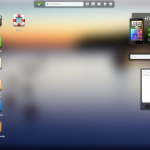
Want to get some photos off your Android phone or tablet but don’t have your USB cable with you? Looking for a way to send SMS messages from your computer? Want to copy and paste text between your Android device and computer? These are just some of the things that AirDroid could help you with.
This free app enables you to use your web browser to connect to and control your Android device on a Mac or a PC running Windows or Linux. Connect your computer to your phone or tablet -- there’s no need for a desktop program to be installed -- and you can do this on both your personal computer and those in public locations. You can establish a connection in a matter of seconds by firing up the app on your mobile device and then visiting the URL you are provided with. After entering the password you’ve been given, you’ll be presented with an online desktop that you can use to browse and manage your Android device.
Want the benefits of Firefox but more security? Try Comodo IceDragon 13.0.3.0

Going online means having to decide which web browser you’re going to use to find your way around the Internet. If security is your primary concern, a new browser just entered the arena and vies for attention. If Comodo IceDragon sounds familiar, you’ve probably been put in mind of Comodo Dragon, the security focused web browser based on Chromium. IceDragon is very much the same idea but this time around there is a Mozilla core.
Comodo have recognized that not everyone wants to use the same web browser just to get the benefits of added security, and Chrome is not a browser that suits everyone. The unveiling of a Mozilla based version of the same tool opens up a world of more secure web browsing to a wider audience. If you are already a Firefox user, you’ll be pleased to find that your bookmarks history, passwords and more can be imported into IceDragon.
Sofia Elizabella's Bio
Sofia Wyciślik-Wilson is a queer, transgender journalist based in Poland. She has been writing about technology for more than two decades, and after years working for magazines, her writing moved online. She is fueled by literature, music, nature, and vegetables. You can find her on Bluesky and Mastodon. If you like what you read, you can Buy her a Coffee!
© 1998-2026 BetaNews, Inc. All Rights Reserved. Privacy Policy - Cookie Policy.