

Take control of your inbox with EmailTray for Windows or Android


The need to prioritize emails is an idea that has been around for some time, starting with spam filtering that aimed to reduce the amount of junk reaching your inbox. Google and other email providers have made further advances by highlighting emails believed to be more important than others you receive based on content, sender and previous correspondence. EmailTray provides you with even more control by automatically filtering your mail into high priority, lower priority, no priority and spam.
This is a desktop app that can be used to check as many email addresses as you want providing you are working with POP3 or IMAP accounts, but all of your email is made available in one place. The program analyzes your email messages as they arrive and filters them in to inboxes of different priorities. Emails that are sent by people with whom you regularly communicate with will be assigned a higher priority than other emails, and all of your mail is sorted into ‘Top priority’, ‘Low priority’, ‘No priority’ and Spam.
Deskspace turns your desktop into a 3D virtual cube

You don’t have to have too many programs running to start to find the amount of space available on your desktop to be a little tight. Rather than rushing out to buy a larger monitor, you might want to think about trying a virtual desktop tool. There are plenty of these apps to choose from, many of which are very similar top each other, but DeskSpace stands out from the crowd with a delightful 3D interface.
The program provides you with six virtual desktops, each of which is the face of a cube. You can navigate from desktop to desktop by dragging your way around the cube faces in three dimensions, but you also have the option of jumping straight to a particular workspace by using a keyboard shortcut or a menu. This is not the first time that a three dimensional concept has been used in virtual desktops, but here it has been beautifully implemented.
Here's an iOS app for our UK readers -- HMRC Tax Calc

How much tax are you going to be paying over the coming year? It’s not always the happiest news, but it’s the sort of things that it is certainly best to know in advance -- rather get the bad news now than get a nasty surprise further down the line. HMRC Tax Calc is a free app for iOS from HMRC which can be used to work out how much tax you’re going to be paying from your wages each week or month as well as showing you what this means for your annual tax bill.
The app is designed for people whose tax situation is fairly simple -- if you have anything other than a tax code of 810L or a National Insurance letter A, you’re going to have to look elsewhere to have your tax calculations done for you. All you need to do it tap in your gross pay or wages along with how many hours a week you work, and everything else will be done for you. At a glance you can see how much of your earnings are tax free and where all the rest goes.
Take one of these 27 downloads out for a spin

May is coming to a close, and as June beckons there are still countless software releases to keep track of. If you’ve had trouble keeping up with everything, this handy roundup is here to bring you up to speed.
This past week saw the release of WikidPad 2.1_01, a wiki-style text editor that can be used to capture thoughts and ideas -- stored locally or exported as an HTML file to upload to the web. If you need to store reminders of things you need to do and appointments you need to attend, PNotes 9.0.107 is a great sticky note tool that may be able to help you out. There’s also PNotes Portable 9 for anyone who likes the idea of running the same program from a USB drive. If pictures are more important to you than words, Juicebox 1.0.2 can be used to create a stunning gallery to show off your digital photos -- all in HTML5 glory.
Get Serif PagePlus 11 for free while you still can

Serif is a name long associated with powerful yet easy-to-use software, and these are both terms that applyto PagePlus 11. This is an extremely powerful desktop publishing application capable of producing professional looking newsletters, brochures and other documents using a series of design tools.
If you have been put off using DTP software in the past because you have found that it is either too complicated for day-to-day use, or too simplistic for quick projects, this could be the program you have been looking for and you can get a copy for yourself without having to part with any money. Serif PagePlus 11 originally sold for $99.99.
Google Search gets big iOS makeover

Google is the go-to search engine for most people, so the existence of a dedicated mobile app should come as no surprise. There has been a tool available for iOS for some time but the release of Google Search 2.0 sees the introduction of a completely redesigned app that not only boasts a new interface and new features, at least if you have an iPhone, but also easier access to other Google searches such as Gmail, Docs and Calendar.
As before, it is possible to conduct searches by typing, using your voice or taking a photo with your camera and using Google Goggles. There have been improvements made to the speed of autocomplete suggestions so you should find that results are available faster than ever and you can take advantage of a preview pane that slides in from the side to view individual page results. Switching between search results and pages takes nothing more than a swipe, and this gesture can also be used to switch search modes, such as moving between a standard search and an image search.
Symantec releases free iAntivirus for the Mac

While there are still Mac users who will proclaim that their systems are immune to viruses and malware, recent high-profile virus infections show that this is simply not the case. Even for anyone still convinced that their computer is immune to viruses, if a Mac is on the same network as a PC, it can easily be used to pass a virus to a Windows-based machine. This is just one of the reasons that Mac virus protection is much more important than many people believe, and Symantec’s newly released iAntivirus is a free tool that could help to bolster security.
If you have used any of Symantec’s security software for Windows, taking a look at the antivirus tool that has been released for OS X is going to come as a little bit of a shock. Minimal is a word that best describes not only the app’s interface, but also its feature set. Rather than on-going background protection against viruses and other forms of malware, all that is on offer here is on-demand scanning -- although you do have the choice of performing a scan of your entire system, your Home folder or other locations.
Create HTML 5 photo galleries with Juicebox
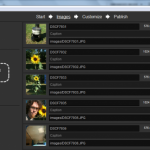
Looking for an impressive way to show off your digital photos? Juicebox may be just what the doctor ordered. This free Adobe AIR app can be used on Macs as well as PCs running Windows or Linux and whatever platform you use to create your gallery, you can be sure that it’ll look great on both desktop and mobile platforms. The app has been designed specifically with online photo galleries in mind, and despite the fact that stunning HTML5 galleries can be created, you do not need to know a single line of coding.
One of the problems that faces anyone looking to create an online gallery is finding a way to ensure that your photo slideshows look good on a number of different devices and platforms, particularly taking into account mobile devices with smaller screens. This is not a problem with Juicebox -- you can simply choose a design and layout that you would like to use and it will be automatically scaled to suit different screen sizes. From an end-user’s point of view, navigation is made wonderfully easy thanks to support for not only mouse and keyboard controls, but also touch screen navigation.
Do you use Gmail and want to know more about your contacts? Try Rapportive

We all now communicate with people through so many channels that it is often difficult to put names to faces. You may know someone on Twitter and Facebook but when you receive an email from them you do not necessary make a connection between the two. This is where Rapportive can help, by providing you with extended information about the contacts you receive emails from in your Gmail inbox.
Rapportive is available as a browser extension for Chrome, Firefox and Safari and appears as a right-hand side panel whenever you look at individual emails. The extension pulls in information from social networks such as Twitter, LinkedIn and more to provide you with a more detailed profile of your contacts, and by connecting the service with your social networking accounts you can build up even more detailed information.
Protect your accounts with Sticky Password

The ever-present need for security means that every account that you have online, and probably on your computer as well, needs to be protected with a username and password. If you have taken the wise step of ensuring that all of your passwords are different, this will undoubtedly mean that you have an incredible number of passwords to remember.
Sticky Password is a free tool that can store all of your passwords in a secure database and save you having to remember them by automatically filling in login information for you. Sticky Password 6.0 has just been released and there’s a lot to look forward.
PSNotes 9 adds spell checking, improves text-to-speech
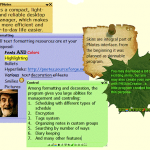
Sticky notes apps are nowhere near as prevalent as they used to be, but that’s not to say that they aren’t still incredibly useful. There are fully featured PIMs such as Outlook that have somewhat taken over the role of such programs, but when you try out PNotes, you’ll understand once again just how great a simple, dedicated utility can be. The program is available in portable and installable desktop varieties and both offer the same great set of feature and the latest release, version 9, includes some great improvements and new features.
Just because a note is a quick , it doesn't need to be misspelled, and the latest release of the app includes an all-important spell checking feature. While there is support for English by default, it is possible to install others that you want to use. PNotes is the type of app that you are likely to find that you end up using a great deal and if you start to create a lot of notes you will undoubtedly make use of the grouping option to keep related notes together. Another new feature of the app makes it possible to define the default skin and coloring for groups.
Security dominates mid-May's 27 software downloads

Halfway through May and the software release schedule shows no sign of abating, and beta releases stand out over the past week. Some of the biggest releases come from security experts Norton, which updated 2013 public betas. Norton AntiVirus 2013 v20.0.0.106 beta, Norton Internet Security 2013 v20.0.0.106 beta and Norton 360 2013 v20.0.0.106 beta provide an early look at what to expect from the upcoming security line, and all of these tools are free during the beta testing period.
But Norton is far from the only name in the security world, and ESET Smart Security 6 Beta (32-bit) includes not only antivirus protection but a firewall and interesting anti-theft features for laptop users; there’s also a 64-bit version of the program available -- ESET Smart Security 6 Beta (64-bit).
FeedDemon 4.1 drops Google Reader sharing features

It’s a strange day when some of the biggest news about the latest release of an application is a feature's removal, but this is the case with the latest version of FeedDemon. Some months ago, Google announced plans to make changes to its Reader service and this has ultimately led to FeedDemon removing the sharing features that relied on this particular service, but Google+ mostly been picks up the slack. The most recent version of FeedDemon also has a number of other changes and additions that are worth mentioning.
The program has long featured a recommendation engine that can point you in the direction of stories, articles and feed that you might well find interesting, and this has been improved to ensure greater relevance. When you use the built in browser to view web pages, a new Ctrl+0 keyboard shortcut is available that can be used to revert to a 100 percent zoom level. If you have the Pro version of the program – as opposed to the free Lite version – you also have a new newspaper style Photo Strip view to make use of.
Flipboard 1.9 for iOS lets you listen while you look

iOS app Flipboard has already earned itself something of a name as a great way to aggregate multiple social networks and news media into a single, more easily managed stream. The latest version of the iPhone and iPad app sees the introduction of support for audio as well as the more usual text and image based content. Audio content can be scanned through just as you would the rest of your feeds, but it can also be played in the background while you continue with your browsing.
There is support for SoundCloud, NPR (National Public Radio) and PRI (Public Radio International), which gives you the opportunity to listen to a wide variety of podcasts, radio broadcasts and more. By connecting Flipboard with SoundCloud you can listen to sounds that have been created or shared by your friends. There is a whole new audio category for you to explore and this interesting change in direction for the social networking tool.
Secure your connections with HTTPS Everywhere

When browsing the Internet you may well have noticed that some of sites you visit are secure, while others are not. While HTTPS is most often used for secure shopping and banking web sites, there is no reason that connections to other pages should not be encrypted to help improve privacy and security. If this is something that has concerned you, HTTPS Everywhere could be just what you have been looking for.
This free browser extension can be used to ensure that a secure connection is used whenever available. There are a huge number of websites that offer support for encrypted HTTPS connections, and yet will default to sending visitors to the regular, unencrypted HTTP version of the sites. HTTPS Everywhere uses a series of specially written rules to redirect your browser, provided you are using Chrome or Firefox, to the secure version.
Sofia Elizabella's Bio
Sofia Wyciślik-Wilson is a queer, transgender journalist based in Poland. She has been writing about technology for more than two decades, and after years working for magazines, her writing moved online. She is fueled by literature, music, nature, and vegetables. You can find her on Bluesky and Mastodon. If you like what you read, you can Buy her a Coffee!
© 1998-2026 BetaNews, Inc. All Rights Reserved. Privacy Policy - Cookie Policy.