

SyncBackSE 6.1 is chock full of bug fixes


SyncBackSE is a solid, reliable backup tool that has fared well in tests and compares very well to expensive alternatives. Version 6.1 of the software has just been released, and besides the addition of a Russian translation and new email options, there are a host of updates and fixes to explore. There are very few new features in the latest release, but the ability to view FTP and email communication messages has been added.
On the problem fixes front, an issue that saw file and folder filtering check boxes unnecessary checked has been addressed. If you found that backups included unnecessary operations such as the creation and subsequent deletion of empty directories, you should find that this is no longer a problem, and when you view the application history you will now find that the list starts with the newest events rather than the oldest.
Chrome 19 arrives with tab syncing -- get it now!
Google just pumped out another stable release of its web browser as Chrome 19 sees the light of day. It seems as though new browser releases are becoming an almost daily occurrence these days, so what can you expect from Google’s latest offering? Well the big new feature to be found in this release is tab syncing -- and this is as self-explanatory and awesome as it sounds.
In many regards Chrome is playing catch-up with Firefox here, as Mozilla’s web browser has featured the ability synchronize tabs for some time now. Chrome 19 takes very much the same approach so that whenever you are signed into your Google account any tabs you have open are automatically synced to the cloud. When you switch computers you can then access any tabs you had open on another machine by accessing the Other devices menu of the new tab page.
Don't miss one of the week's exciting 25 software downloads

The second week of May has passed, and it was as busy as ever in the world of software. If you haven’t kept your finger on the pulse, we have put together this roundup to bring you back up to speed.
Windows users looking to bring one of the features of OS X to their PCs will be interested in TweakNow DriveShortcut 1.0.0, which can be used to automatically create desktop shortcuts whenever removable media is inserted. If you’re looking to clean up your hard drive, the release of GeekUninstaller 1.0.0.2 is very timely, while EASEUS Todo Backup Free 4.5 has been updated with support for Windows 8 -- if you want to protect your valuable files. In a similar vein is Acronis True Image Home 2012 (Update 2) v15.0.7119, which has been enhanced with a number of tweaks and new features.
Save big on these May software bargains

We’re nearly halfway through May, the weather’s getting warmer and there is a bunch of deals in the Downloadcrew Software Store if you’re looking to save on your purchases. Starting off this month’s selection of offers is a series of deals on TuneUp Utilities 2012 that includes everything you need to optimize, fix or customize your computer.
TuneUp Utilities 2012, complete with a 3-PC, lifetime non-expiring license can be yours for just $18.99, saving you 62 percent, while anyone who needs more licenses should take a look at TuneUp Utilities Business Edition 2012 [5-PC, lifetime license] which costs just $22.95 – saving of 73 percent. Looking to secure your PC as well as speed it up? Look no further than the TuneUp Utilities 2012 + AVG Internet Security 2012 bundle which costs just $22.95 (a saving of 80 percent) and the TuneUp Utilities 2012 + avast! Pro Antivirus 7 bundle which at just $19.95 will save you an impressive 78 percent off the MSRP.
Use TweakNow DriveShortcut to display disks on Windows desktop
Sometimes it is the smallest of things that makes the biggest differences -- it can be little touches that matter the most. Users of OS X and many flavors of Linux will be used to the appearance of a desktop icon when an external drive is plugged in or an optical disc is inserted. This little feature may seem minor, but it is also immensely useful. By installing TweakNow DriveShortcut, you can bring the same feature to Windows.
This is a great alternative, or supplement to Windows’ own built-in AutoPlay feature as it enables you to more easily access drives when you want rather than having the contents automatically displayed after insertion. The most common use for the program would be to create desktop shortcuts for CDs and DVDs as they are inserted, but it can also be used to automatically create shortcuts for USB drives.
Ad-Aware Free Antivirus+ 10.1 advances, leaves Windows 2000 behind

The jump to version x.1 of a program may not seem like particularly big news, but with the release of Ad-Aware Free Antivirus+ 10.1 there is a surprising amount to take in. For anyone who has taken the security step of installing more than one antivirus tool, you should now find that, which Norton and AVG at least, Ad-Aware no longer produces a BSOD, but there have also been more important changes to the engine of this antivirus and firewall tool.
A major concern with any antivirus tool is the impact it has on your system and in the latest release there have been tweak made to the scanning engine that mean that schedule scans are performed faster than in the past. The program has already undergone something of a makeover but there have now been additional improvements made so the app as a whole feels generally snappier – this is in addition to faster scan completion.
eBay 2.0 for iPad is a big upgrade

Anyone using eBay for buying and selling need no longer battle with the mobile version of the website on their iPad or use a low-resolution iPhone app to keep track of their auctions thanks to the release of the massively updated eBay for iPad 2.0.0. As you would expect, following the release of the new iPad there is support for the high resolution retina display and this means that it is now possible to view higher quality images for the auctions you are browsing, but there’s much more to look forward to in this app that has been completely redesigned from scratch.
As this is a complete overhauled version of the app, there is a great deal to explore in the latest release. The starting point for any app is its home screen, and eBay for iPad has a highly customizable one that houses your buying, selling and watching activity by default. However, you can choose the order in which things are displayed, so if you are only interested in selling, you can hide anything that relates to buying, If buying is more your thing, you can add saved searches to the home screen for easy access.
Gimp 2.8 gets a whole new look

In terms of version numbering the release of GIMP 2.8 might seem like a minor one, but in reality it is very big news. The cross-platform image editor has been available for Windows, OS X and Linux for many years now and one thing that Windows’ user have often struggled with is the abnormal interface that comprises multiple windows; in this latest version there is now the option of working in a single window mode.
The great thing here is that there is a choice, so if you have become used to the way GIMP has worked in the past you can stick with this interface but if you have found this is the one thing that prevent you from using the image editor, you have a new option available to you.
Start May off right, with one of these 27 downloads

They say April showers bring May flowers, and perhaps that's true of software, particularly supporting the cloud. For sure, the month started with lots of new applications to explore.
There has been a recent resurgence in interest in cloud storage following the unveiling of Google Drive, but if you are looking for a way to secure data you have backed up to the cloud, Cloudfogger 1.1.1291 may be just what you have been looking for. Unimpressed with Google Drive et al? Check out Amazon Cloud Drive 0.3.28 which can be used not only store files but also backup your MP3 purchases. Last week’s stable release of Dropbox has been followed up with Dropbox 1.4.2 to address problems. Proving that you don’t have to have an Internet connection around the clock the benefit from the internet, GMapCatcher 0.7.7.2 enables you to cache online maps for offline viewing.
Foxit Reader 5.3 improves by nips and tucks

The PDF format is commonly used to deliver documents online, and people increasingly discover that there is no need to use a bloated piece of software such as Adobe Reader to open them. Foxit Reader is one lighter weight alternative that prides itself not only on the speed and performance it offers, but also the security features. The Read Out Loud feature has been updated with a new Read from Current Page option as well.
Foxit Reader 5.3 adds support for viewing RMS-protected PDF that have dynamic watermarks, and there are also a number of other changes, improvements and additions in this latest release. When the program is used to view a document that is too large to print on regular-sized paper, you can now take advantage of the new Tile Large Pages option in the print dialog that makes it possible to split such large pages over several pieces of paper in the style of a poster.
Use multiple monitors with Windows 8

Working with multiple monitors is a great way to improve productivity, but it is a completely different way of working that can take a little getting used to. DisplayFusion is a utility that makes it easier to work with multi-display setups, and version 4.0 of the app includes a raft of new feature that will help you to get even more from your monitors, starting off with support for the Windows 8 Consumer Preview.
As standard Windows will only display the taskbar on one monitor, but it can be added to all of them with DisplayFusion. Any program that is shown on a particular screen will have a taskbar button on the corresponding screen and in the latest version of the program, Jump Lists are now available. There is also newly added support for icon profiles that can be used to quickly re-arrange desktop icon according to what you are doing.
Spotify comes to iPad -- get it now!

Fans of Spotify need no longer endure a blown up app designed for the smaller screen of the iPhone, thanks to the release of a dedicate iPad version of the app, today. Spotify 0.5.0 has been a long time coming and, as you would expect, there is support for the Retina display of the new iPad. There has been a shift in focus with this release, as the app now makes it easy to discover new music rather than simply enabling you to listen to things you have already found.
The interface has been given a gesture-friendly overhaul and the screen is divided into two sections that allow for easy navigation of playlists, friends and news, while providing a clear display of the information you are looking for. The newly released app is comparable to its desktop counterpart, providing access to almost the same set of features, although there is no support for the likes of last.fm and other apps at the moment; this is likely to be something that is added in the future.
Bitdefender USB Immunizer protects your PC from flash drive malware

There are a number of ways in which a virus or malware infection can find its way onto a computer, and if USB drives are used to transport files from one machine to another, this represents a security risk that could be exploited by malicious software. Part of the problem arises from the fact that USB drives can be configure to autorun just like optical media, but this is something you can tackle with Bitdefender USB Immunizer.
This free tool is not new, but it has undergone an overhaul that makes it easier to work with multiple USB drives and enables you to prevent USB drives from being automatically launched. This is achieved by creating a read-only autorun.inf file in the root of the drive, which is left blank so that it serves no real function. Because the file is read-only, it cannot be edited by malware looking to launch itself when your USB drive is plugged in.
Have frequent Skype crashes ruined your relationships? Try the iOS update
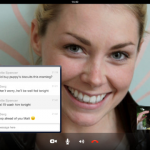
iOS users now have an updated VoIP app to work with following the release of Skype 4.0 for iPad and Skype 4.0 for iPhone. The latest version focuses mainly on stability and accessibility improvements, but there are also a few other enhancements and new features to enjoy. There’s a new sign in screen in addition to a number of minor UI tweaks.
Anyone who finds the app prone to crashing should be happier with this new version. Skype promises generally-improved stability, and auto-restart in the event of a crash. This is hardly a ringing endorsement for a chat tool, but it’s a step in the right direction. Surely, it's better than untimely disconnects during an important video chat.
What timing, avast! Free Antivirus for Mac exits beta as OS X security concerns escalate

Macs have been in the news more than normal recently. The Flashback Trojan shows the platform is just as prone to viruses and malware as Windows and other operating systems. Many Mac users believe -- wrongly, it might be added -- that OS X is immune to malware and does not need any form of protection. The latest high-profile infestation highlights the need for Mac security tools and; with almost uncanny timing, avast! Free Antivirus for Mac has exited beta and gone gold.
Software from avast! has been available for Windows for quite some time, and the Mac version of software is based on the same protection engine. The app is broken down into three basic areas -- File System Shield, Mail Shield and Web Shield -- and if you have used the Windows version of the tool, you’ll know pretty much what to expect. As is becoming increasingly common, this security tool takes advantage of community reporting to improve the analysis of suspicious files, helping to allow for faster responses to emerging threats.
Sofia Elizabella's Bio
Sofia Wyciślik-Wilson is a queer, transgender journalist based in Poland. She has been writing about technology for more than two decades, and after years working for magazines, her writing moved online. She is fueled by literature, music, nature, and vegetables. You can find her on Bluesky and Mastodon. If you like what you read, you can Buy her a Coffee!
© 1998-2026 BetaNews, Inc. All Rights Reserved. Privacy Policy - Cookie Policy.