

30 software downloads you need this week


We’ve reached the end of the first month of 2012 and this has been another busy week for software releases. If it seemed a little quiet on the browser updates recently, things changed this week with the release of Opera 11.61 FINAL as well as Opera Portable 11.61. Fans of cutting edge software may be more interested in Opera Next 12.00 build 1256, which is the first update to the beta channel of Opera for quite some time.
When browsing the Internet, speed is often the most important consideration, and Pale Moon is a speed optimized version of Firefox that includes support for extensions. This week saw the release of not only Pale Moon 9.1 and Pale Moon x64 9.1, but also portable versions in the form of Pale Moon x64 9.1 Portable and Pale Moon 9.1 Portable.
Don't miss the end-of-January software sale

You can find plenty of bargains at Downloadcrew Software Store, but there have been even greater savings to be had this month. If you’re thinking about investing in some new software, now is the time to do so -- these special offers will end when we reach the end of January.
The holiday season is now a month behind us, so it’s time to think about organizing all of those photos you took during family get togethers. CyberLink PhotoDirector 2011 may be just what you’ve been looking for. This is a seriously powerful photo editing tool that includes support for RAW images and boasts a range of features to rival Photoshop. Buy the software now for just $44.95, a savings of just 55 percent off the MSRP, and you will receive a free upgrade to PhotoDirector 2012 v3 when it releases in February.
CCleaner 3.15 improves like a well-aged wine
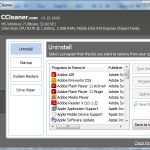
Popular system cleanup and optimization tool CCleaner has been updated with a range of improvements and a smattering of new features. CCleaner 3.15 sees support for the cleaning of a range of new applications including Freemake Video Downloader, Camtasia Studio and Ashampoo Burning Studio. As you would expect from any app update there are also a number of bug fixes as well as a small range of additional options.
In terms of new features, you will find that there is newly added support for Chrome Canary, including the ability to clear search data from the omnibox. The ability to remove items from the Recycle Bin is nothing new, but there is a new option to filter Recycle Bin deletion to only those files that were added more than 24 hours ago. This is a useful way to claw back a few extra megabytes of space while retaining the option of restoring some of the files you have deleted.
Kingsoft Office 4.3 for Android mini-review

There are a number of tools that computer users will install by default on their Mac or PC -- an email client, web browser, media player and an office suite. Make the move to a mobile platform such as iOS or Android and the range of apps you need changes slightly. Most phones and tablets will comes with a number of apps pre-installed including a calendar, messaging tool, web browser and various other tools. One thing that is generally left out of the mix is a mobile office suite.
There are plenty of suites to choose from, but the vast majority of them cost too much and many users are disappointed to find that the app they choose to try out is too limited for their needs. Kingsoft Office is something of an anomaly -- an extremely powerful and feature-packed Android office suite that is available for free.
Get more from screen captures with WinSnap 4.0.1
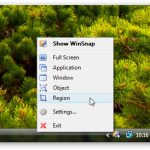
Capturing what’s on your desktop can be as simple as hitting the Print Screen key and pasting the contents of the clipboard into an image editing app. But you’ll notice that it is not possible to capture everything; the cursor cannot be included in grabs and many dialogs disappear when Print Screen is pressed. WinSnap is a powerful screen capture tool that includes a number of handy options, with the latest version bringing support for the capturing of native Aero shadows.
WinSnap is now able to capture the shadow that is added to windows and object by Windows, but in cases where this is not possible, post-capture shadowing can be added for you. Screen capturing has many purposes, but it is often used to highlight information. To make this easier, WinSnap includes a number of annotation tools that can be used to draw shapes and arrow on your grabs as well as adding text. To the same end, there are also a number of effects to choose from. If you want to highlight a particular area of a screen capture, you can opt to grey out the rest of the image, or blur it slightly.
Opera 11.61 is released -- get it now!
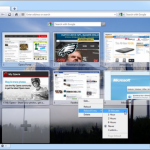
The latest addition to the stable release channel for Opera is v11.61, which includes more than 50 security and stability enhancements and is recommended for all users. You can either wait for the automatic updater to occur, or you can force a manual check and update from the Help menu.
Two of the most important changes to the browser see a couple of on-going scripting problems being fixed, but there are also a large number of additional tweaks that address issues with various aspects of the program.
CloudOn for iPad mini-review

The iPad has been touted as a replacement for the laptop, but if this is to happen a serious office suite is needed to allow everyday tasks such as word processing and number crunching to be carried out. In this area there are a number of mobile office suites to choose from, including Apple’s own iWork apps Pages, Keynote and Numbers as well as the likes of Documents To Go, Quickoffice and a few others.
While all of these are capable of producing and working with Microsoft Office compatible files, there is no getting away from the fact that none of them is Microsoft Office. This is something that CloudOn for iPad aims to address, bringing you fully functional versions of Word, Excel and PowerPoint to your tablet.
17 downloads you shouldn't miss this week

This has been another busy week for software releases, so it would not be surprising if some gems had escaped your attention. This is exactly why we put together these weekly roundups, bringing you a selection of the best software from the preceding seven days. If you’re a fan of software and trying out the latest and greatest titles, you’re undoubtedly going to be interested in ensuring that you have the latest versions of all your favorite programs installed. Downloadcrew UpdateScanner 2.0.0.1 Beta is a free tool that keeps you informed about when new versions are released so you don’t have to keep checking manually, as well as bringing you special offers, the latest software news and free giveaways.
It has been a surprisingly busy week when it comes to software designed with businesses in mind. As any modern company will be all too aware, having the right tool for the job can make life so much easier, and this is particularly true when it comes to the world of work. Managing a large team of people working on a project can be difficult, but Revolver Office 9.0.0 Preview is here to help make things easier. Bringing email together with project management, employee and resource assignment and much more into a single package, this is the perfect tool for any business looking to stay ahead of the competition.
Revolver Office: Small business project management

Managing any sort of business takes times, effort and dedication. In order to ensure that things run as smoothly as possible, whatever your line of work, it is important that you turn to the right tools to help you to keep on top of things. Revolver Office is a powerful project management suite that includes everything you need to keep track of jobs, employees, clients, and everything else that it is involved in the day to day management of your business. The latest preview version includes a raft of powerful features that place you firmly in control of your empire, but more importantly it enables people to work together.
Revolver Office is such a varied and all-encompassing tool that its list of features is a lengthy one. Available for both Mac and Windows, the software allows for very easy collaboration on a project and ensures that everyone involved has access to the tools and information they need. For some projects the built-in address book can be used to store details of every one working on the project as well as the contact information for contractors and suppliers. A team calendar is available so you can easily check to see when everyone is free for a meeting and you can ensure that no one employee is being given too heavy a workload.
Quick Look: iBooks Author

Apple’s iPad has fairly quickly become a great tool for the workplace and in education and the company’s latest bid to revolutionize the market is with ebooks. Ebooks themselves are nothing new, but the existence of touchscreen devices such as the iPad means that the opportunities available to readers through interactive multimedia book are now greater than ever. iBooks Author is a free Mac app that can be used by anyone to create iPad friendly ebooks that can include a variety of widgets such as photo galleries, videos, KeyNote presentations, 3D objects and more.
This is more than just an ebook creation tool for Mac, it is a complete solution that enables you to work through the entire process from initial concept to design and layout before ultimately publishing and making available online. To help get you started, there are a number of different templates to choose from and then it is just a matter of dropping material in place and performing any customizations you want.
Share: Your personal torrent client

When it comes to sharing files, there are a number of options available to you. If you want to share files with someone nearby, it may make sense to pop them on a USB drive and physically deliver them. For smaller files it is possible to make use of email, but things get trickier when larger files are involved. You could go as far as uploading files to your own web space or even setting up your own FTP server, but this is something that few people would want to go to these lengths. Share is a free tool that enables you to overcome these problems and share files of any size.
Coming from BitTorrent, it should come as no surprise to learn how Share works. It is essentially a personal torrent client that makes it possible to allow people of your choice to connect to your computer and access the files you have chosen to share; this is a great example of personal P2P. having created an account, files can be shared by using nothing more than drag and drop, and all you need to do is to select who you would like to share them with.
21 downloads you shouldn't miss this week

We’re only just through the second week of January, but the number of software releases is just as fast as ever. There have been so many applications hitting the servers over the last seven days, we wouldn’t be surprised if you had missed some here and there. This is why we have put together this handy roundup to get you back up to speed.
If you want to keep in touch with friends, family and colleagues, look no further than Skype for Windows 5.7.0.137 Beta. The latest beta version of this chat client fixes a number of problems that have been found, but Mac users have more to look forward to in Skype for Mac Beta 5.5. The latest beta includes an improved call interface that makes it easier to mute calls, add new people to a conversation, and share files and video.
Need Microsoft Office on iPad? Try OnLive Desktop
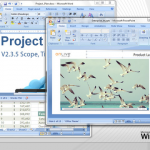
While there are a lot of claims made about how tablet computers such as the iPad could be used as complete replacement for desktop computers, there are a number of obstacles that get in the way of this. There are a number of mobile versions of well-known desktop applications available, but these tend to be far more limited than the software you are used to using and there is also the problem of transferring files between devices to bear in min. These are problems that OnLive Desktop can help with, providing iPad users with a fully functional version of Microsoft Office to work with.
This is not a standalone office suite, nor is it a remote access tool in the traditional sense -- rather it is something of an amalgamation of these two ideas. OnLive Desktop provides you with a Windows 7-style interface along with a remotely hosted version of Microsoft Word, Excel and PowerPoint, which is a million miles away from the office suites that can be found in the App Store. Here you are working with a remotely hosted version of Office, which means that you have access to the full gamut of features.
Save big on security software and system utilities

January is traditionally a tight month for finances after all of the expenses of Christmas, but it is also the time of year when there are great bargains to be grabbed. Head over to the Downloadcrew store and you’ll find all manner of great deals with huge savings to be made on big name software.
You may have decided to put yourself through a new health regime for 2012 and there’s no reason your computer shouldn’t be given the same treatment. Look no further than TuneUp Utilities 2012 [3-PC, 1-Year], which will help you to keep your system optimized and you can save 62 percent off the MSRP when you buy the software for just $18.95. Small businesses can make an even greater 75 percent savings when buying TuneUp Utilities Business Edition 2012 [5-PC, 1-Year] for just $19.95.
Sync files to USB drives with O&O AutoBackup -- download free for January

O&O AutoBackup is a (temporarily) free backup and synchronization tool that can be used to safeguard your valuable data by creating a copy on a removable USB or Firewire drive. Unlike many backup tools, this particular offering from O&O Software benefits from being incredibly easy to get up and running, in addition to its free availability.
You can choose to backup an entire drive, a selection of folder or use wildcards to specify particular types of file that should be included, and there are numbers of options when it comes to choosing how your files should be handled. You can opt to simply copy files from one location to the other or you can choose to copy only new and changed files. The third option is to go down the synchronization route so any files that have already been removed from the source drive will also be deleted from the removable drive.
Sofia Elizabella's Bio
Sofia Wyciślik-Wilson is a queer, transgender journalist based in Poland. She has been writing about technology for more than two decades, and after years working for magazines, her writing moved online. She is fueled by literature, music, nature, and vegetables. You can find her on Bluesky and Mastodon. If you like what you read, you can Buy her a Coffee!
© 1998-2026 BetaNews, Inc. All Rights Reserved. Privacy Policy - Cookie Policy.