


Online Drive Benchmark: Speed test cloud storage services


Storing your data in the cloud has its pros and cons, but one of the biggest drawbacks has to be the speed at which you can both upload and download data from your storage pool. Not all online storage providers are equal, but there's also factors unique to your PC and Internet setup to consider too.
If you're in the market for signing up for online storage with the likes of Box.net or DriveHQ, it goes without saying you'll want to know which ones are quickest when it comes to making a decision. This is where a new freeware tool, currently in beta, comes into play: Online Drive Benchmark is designed to let you know which provider performs best on your computer.
Trend Micro Titanium Maximum Security Suite 2012 enters public beta

Trend Micro has released a public beta of Titanium Maximum Security 2012, the latest incarnation of its feature-packed security suite. As is often the case with betas, it has a few issues to contend with. There's no firewall just yet, for instance, and we found application launch times seemed to lengthen considerably once the beta had been installed.
The program's interface proved straightforward, though, providing easy access to on-demand scans, and a lengthy list of the tools that are available in this version: parental controls, data theft prevention, encryption, secure file deletion, antispam, antiphishing, browsing protection, and more.
Wuala adds pro features to free version

Lacie Inc has released a major new version of its online backup and sync client: Wuala "Hottingen," which runs on Windows, Mac and Linux as well as selected smartphones, includes new features, a redesigned user interface and extended functionality.
Perhaps most interesting to existing free account holders: Wuala has now extended all "Pro" services, including automatic backup, sync, file versioning and time travel, to all users. This brings Wuala into line with other online backup and sync services such as AVG LiveKive, SpiderOak and SugarSync.
How would you like to party with Betanews and Samsung, and win Galaxy Tab 10.1?
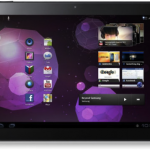
Quick update to this one: The Samsung Tab pre-release party will be taking place at 620 Jones (at...620 Jones Street, San Francisco). We've also got the full list of prizes to be raffled off:
o 5 Galaxy Tab 10.1 Voucher (products will be sent June 8th)
Got iPad? Get Opera Mini 6 now!

The release of Opera Mini 6 for iOS has seen the app transformed into a universal app that has been optimized to take advantage of the iPad's larger screen. iPhone 4 users can also benefit from the fact that the app has been redesigned to add support for retina display. The overall look and feel of the app has also been updated and performance has been improved.
Opera Mini is well known for its web page compression that helps to reduce the size of the sites you visit and enable them to load faster. When navigating a website, you will find that the pinch-to-zoom gesture works very smoothly and when opening new pages you now have the option to use background tabs.
LessChrome HD: Less Firefox UI clutter for more web browsing

It used to be the case that bigger was regarded as better, but in recent years there has been a downward trend when it comes to the size of laptop screens. The popularity of netbooks and the like means that there are a huge number of computer owners working with relatively small screens, and this can make browsing the Internet something of a chore. It is something that LessChrome HD 2 can help with.
LessChrome HD is a free extension that is available for Firefox, and once installed it does everything it can to maximize the amount of screen space that is given over to displaying websites. You wonder how this is different from working in fullscreen mode, but after spending a few minutes using the extension, it quickly becomes clear.
Apple Store app gets mini-makeover, too

Heading to an Apple store is an experience like no other, but for those times when you are just not able to make it to a physical store, there is an iOS app to tide you over. If you want to check out the latest iOS devices and Macs, the Apple Store app is on hand to enable you to browse through a range of Apple products so you can conduct a little research before making a purchase.
Apple's retail stores have just undergone something of a mini-makeover, and the same is true of the iPhone app -- oddly there is no native iPad version available. As well as the familiar features such as the Apple product catalog, the app can also be used to make online purchases and reservations. While the previous verison of the app allowed for standard products to be bought, the updated 1.3 edition allows for system customization, so if you want to add a little extra RAM to your next Mac, you can easily do so.
Like browser tabs? Now you can have them in Microsoft Office

If you're the kind of person who finds themselves moving backwards and forwards between multiple documents in Word, Excel or PowerPoint, you'll know how frustrating and fiddly it can be. Office opens each document in a separate window, which can prove bothersome if you're constantly copying and pasting from one document to another, or need to reference two or three while editing a fourth.
The logical approach is to allow users to open multiple documents in the same window using a series of tabs: it revolutionized the way we use our web browsers, and it's something already pioneered in the free Office alternative, Lotus Symphony. But if you don't want to switch office packages simply to access all your open documents from a single program window, check out Office Tab Free Edition instead.
Miro 4 bulks up from music to media management

The Participatory Culture Foundation has released version 4 of its popular cross-platform, open-source audio and video player. Miro 4 sees the application transform from a powerful video player into a more all-purpose media management tool.
Miro 4 beefs up its music management capabilities with a host of new features. It's now a capable music library, thanks to improved music organization and search tools and the introduction of new features like the ability to automatically import content from iTunes and improved options for creating playlists.
Got Android? Get Firefox 5 beta, but don't expect Flash

The final version of Firefox 4 hardly seems to be been available for all that long and hot on its heels is the beta version of Firefox 5. As well as being made available for desktop platform, Mozilla released Firefox 5 for Android beta. While there are not major new features to get excited about, there's still enough to make it worth checking out.
Performance is impressive in the beta, and it is clear that a good deal of work has gone into squeezing the best possible page load times out of any connection, be it 3G or WiFi. Mozilla is obviously also very keen to blur the boundaries between mobile and desktop web browsing, and the Android version of the browser does a great job of mimicking its big brother.
Microsoft EMET puts you in control of Windows security

DEP, SEHOP, ASLR -- Windows has plenty of interesting security technologies, each carefully designed to help protect you from common hacker and malware exploits. So it's a shame that most of them are so hard to find and use.
Windows has a Data Execution Prevention (DEP) interface, for instance, but it's not exactly easy to spot. And Structured Exception Handler Overwrite Protection (SEHOP) or Address Space Layout Randomisation (ASLR) are handy at protecting key data structures from attack, but they're normally only available if you know exactly where to look in the Registry.
Want better weather on Windows 7? Take Metro Home

While it's easy enough to check the time on your computer by looking at the clock in the system tray, and the weather by visiting any of a number of web sites, you may still want to check out Metro Home. This is a Windows desktop widget that displays the date time and weather in a stylish and customizable interface that fits the Windows Phone 7 look.
The widget comes from the same stables as HTC Home, a similar widget that apes the look of HTC's Android widget, but in this case the information is displayed in a form that will be familiar to Windows Phone 7 users as it closely mimics the Metro interface.
Don't wait, download Firefox 5 beta right now

Mozilla has released the first publicly available beta of Firefox 5, which acts as a halfway house between the final stable, final release of Firefox and the developmental version, Firefox Aurora. The beta version offers a more stable environment than Aurora in which to road-test developmental features before they're implemented into the next final release.
On the surface there's little to differentiate Firefox 5 from Firefox 4 in this beta release, which installs over the top of any existing stable release, but it does feature the new Firefox Channel Switcher that allows users to move between developmental and stable versions of Firefox from a convenient dialog box.
10 time-saving apps: Restore order to your chaotic life

Some people seem capable of organizing everything in their head: the day's tasks, a running to-do list and even when and where all their meetings for the next month will be. For the rest of us, though, we need a bit of help. And your computer or smartphone can help here, by doing all the hard work for you.
Planning apps are ten-a-penny, and the great news is that while there are plenty of powerful commercial tools available, you can put your life in order without spending a single penny. We've dug through our extensive archives and picked out 10 useful to-do apps -- in no particular order -- for those with chaotic lifestyles to consider.
Make Firefox's AwesomeBar work for you
All web browsers now feature a search option at the top of the program window, and many have reduced the address bar and search box into a single entity. This is the case with Firefox, creating the unashamedly named AwesomeBar. Combining searching and URL typing into a single location not only reduces clutter, but also helps to keep things intuitive. If you would like to take things a little further, AwesomeBar HD is a free Firefox extension that grants you control over your searches.
Now, rather than just typing in a search term and pressing "Enter," the extension makes it possible to construct powerful custom searches using a range of different search engines. Start to type a search term into the AwesomeBar and a series of labels will appear. These cover common search topics such as news, books, weather and many more. Rather than searching the entire web for your chosen term, click one of the tags to limit your search to this topic.
© 1998-2026 BetaNews, Inc. All Rights Reserved. Privacy Policy - Cookie Policy.