Crystal Anti-Exploit Protection exposes malware tricks


Most antivirus programs focus on identifying malicious files and preventing them from reaching (or executing on) your PC, which works to an extent, but will fail if you run into brand new malware that hasn’t been discovered yet.
Crystal Anti-Exploit Protection (CAEP) is a new security tool that tries to protect you in a very different way. There’s no scanning here, no signatures, no virus database: instead the program uses its understanding of common malware tricks to try and prevent anything nasty from infecting your system in the first place.
USB Safeguard password-protects your stick


Data security is of the utmost importance, but it is usually the files stored on our hard drives or transmitted over the Internet that we are primarily concerned with. It’s likely that you have at least one USB drive that you use o move files from one computer to another, perhaps transporting files between home and office. If you were to lose the drive, there is not only the irritation of not having access to the files you need, there is also the concern that whomever finds the drive will be able to vie your private data -- this is something that USB Safeguard can help with.
As you’ve probably guessed from the name and the scenario we have set up, this is a program that can be used to protect the files you have chosen to store on a USB drive. This is a tiny portable app, weighing in at less than 100KB, but it is none the less powerful. While there is a paid version of the app available that can be used to protect drives of up to 16TB in size, there is also a free version that can be used on drives up to 2GB.
IObit Advanced SystemCare with Antivirus 2013 mini-review
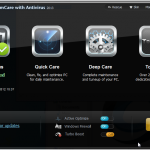
Security is a key concern for all users of Windows, but coming a close second is a desire to get the best possible performance. IObit Advanced SystemCare with Antivirus 2013 is an all-in-one suite that has both the security and performance bases covered along with a fair smattering of maintenance thrown in for good measure. The program is divided up into five main sections and in all there are dozens of tools on hand to help you to take care of your computer.
The antivirus component of the suite offers real-time protection against all manner of threats, but you also have the option of running manual scans, both quick and full, whenever you feel the need. Any files you receive via email are automatically scanned for signs of infection as are any files you download while browsing the Internet. Everything you would expect to find in an AV tool is available here -- scanning whenever you need it, quarantined of suspicious files, automatic updates and whitelisting of trusted files.
Free Word and Excel Password Recovery Wizard 2.09 lives up to its name, sometimes

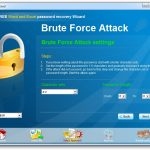
Passwords are supposed to protect files from unauthorised access, but the sad fact is that just about any password can eventually be cracked. That’s bad news if you’re looking for bulletproof protection, but should you suddenly forget a password you might be grateful that your file isn’t as secure as you might have thought.
Password-recovery tools are plentiful, but freebies are thin on the ground. Many of these don’t even work, but one that does -- within certain limits of file format and password length -- is Free Word and Excel Password Recovery Wizard 2.09.
Celebrate the half-year with one of these 24 software downloads

We’ve reached the beginning of July but shouldn't forget June, which ended with a swatch of updates and releases.
Security is always a priority like these: avast! Free Antivirus 7.0.1451 is the free version of the AV tool, with avast! Pro Antivirus 7.0.1451 also featuring the same new Emergency Updater and improvements to sandboxing. Also available is avast! Internet Security 7.0.1451 which includes not only virus protection, but also a firewall, web filtering and more. Another free firewall is available in the form of the newly updated ZoneAlarm Free 10.2.64.0 and if you want virus protection as well, you might want to take a look at ZoneAalarm Free Antivirus + Firewall 10.2.
What you need to know about security software


What does security software even mean now? It’s such a vast concept that it can cover everything from file scanning to parental controls and everything in between. It pretty much covers everything except someone telling us, "Don’t do that, you’re going to regret it!"
It is the most quickly evolving type of software that we run on our computers, but it hardly gets noticed.
Apple's Mountain Lion will allow automatic security updates


In the most recently released developer preview of Mac OS X, Mountain Lion, Apple has included an automated system that lets the user check and install new Security Updates. Part of a new set of OS X 10.8 protection tools against the once non-existent Mac OS malware threat, the new feature is called "OS X Security Update Test 1.0," and it will be rolled into the release version of Mountain Lion when it comes out next month.
The new security automator can run at a daily scheduled interval, or upon system restart, and it offers the user the ability to download and install updates in the background. In the Mac App Store, Apple states that after restarting your Mac, it will provide a much more secure connection to Apple's update servers, providing an encrypted connection to help protect from possible man-in-the-middle attacks for each update.
Secure your PC with Bitdefender 2013
Bitdefender has released its 2013 range: Antivirus Plus 2013 ($49.95), Internet Security 2013 ($69.95), and the high-end Total Security 2013 ($79.95).
And the headline addition this time is Safepay, a secure virtual browser which aims to protect your online banking and shopping details (although the technology will help to shield any confidential online activity). It’s a useful feature and is available on all three products.
Apple admits malware defeat

Apple is one of the single software companies that hasn't really faced the problem of viruses, for years claiming their operating system is the most secure among all. Seemingly every Mac user claims that his or her computer is the safest and greatest -- they’re invincible!
But those claims collapse as Apple products grow in popularity. Back in April 2012, Flashback infected 670,000 Macs worldwide. The Mac maker responded so well it needed to do the job twice, as the first security patch wasn’t so good. In light of all this one has to wonder whether Apple needs to call it quits and just admit defeat.
26 software downloads you shouldn't miss this week

As we reach the end of June, commercial developers are busy preparing software for a Q3 launch, so we’ll be entering a lean period for key, new releases. This doesn’t mean it was a quiet week; far from it. TechSmith released Camtasia 8.0 for Windows and 2.2 for Mac. This powerful screen-recording tool will enable you to produce professional-level presentations for just about any audience.
If you’re seeking an image editor to complement your screen recording toolkit, look no further than the free GIMPshop 2.8. This is effectively the popular GIMP, wrapped up in a different and user-friendly interface. The various K-Lite Codec Packs are a collection of codecs you can use to play video and audio content on your PC. Although it’s becoming more of a challenge to find videos that won’t play on your PC, there are still plenty encoded using a compression format that was more popular in the early part of the previous decade. Download K-Lite Codec Pack 8.92 Basic, the Standard pack, Full or Mega, which also contains a number of conversion tools.
AutoCAD worm is serious example of suspected industrial espionage

The new, targeted, high-tech, military grade malicious code such as Stuxnet, Duqu and Flamer dominates security news. So imagine our surprise when an AutoCAD worm, written in AutoLISP, the scripting language that AutoCAD uses, suddenly showed a big spike in one country on ESET’s LiveGrid two months ago, and this country is Peru.
We have seen other small number of infections of ACAD/Medre.A in other countries, but they are all in regions that are near Peru or have a large Spanish speaking contingent. The odd one out in the infection table would be the People’s Republic of China, but not quite so weird when we started to analyze the worm based on this sudden spike. More about China will follow later.
MailWasher 2012 Free cleans up the spam

FireTrust has today revealed MailWasher 2012 Free, a new version of its popular spam filter. The latest release will provide all the features of the full commercial MailWasher Pro edition for its first 10 days of use, but after that introduces four main restrictions.
There’s no Recycle Bin, which means you can’t browse or restore deleted emails. Preview options are limited, so it may be more difficult to manually determine whether a particular message is spam. Technical support is unsurprisingly reserved for paying customers. And, probably most crucially, the program will be limited to checking 1 email address only, perhaps a deal-breaker for many people.
Save big on these June software deals

We’ve made it to June -- the year just seems to be flying by! -- and with each passing month there are more and more great offers in the Downloadcrew Software Store. In fact, there are so many great offers to be found that we thought that we had better collect together some of the highlights to make things a little easier for you.
Starting things off are two disc burning tools from Roxio.Roxio Creator 2011 is available for just $19.99 (a saving of 80 percent off the MSRP) while its big brother Roxio Creator 2011 Pro could be yours for just $24.99, instead of $105. These immensely powerful media suites include everything you need to create CDS, DVDS and Blu-rays containing video, audio and data.
LastPass 2.0 is your first line of data defense

LastPass has released a major new update for its secure password manager, LastPass 2.0, and the big addition is the extension of its Secure Notes feature.
As well as safely protecting simple text information, the new release also allows you to add confidential documents, PDF files and images as attachments to your secure notes. As with all other stored data, these will be locally encrypted to keep them safe from snoopers. And of course the attachments will then be synced to any location where you log in to your account, so they’ll be available anywhere.
KeyScrambler Personal protects Firefox and Internet Explorer from keyloggers

The best way to protect yourself from malware is of course to prevent it ever reaching your PC, but if something does slip through your defences then this doesn’t have to be the end.
KeyScrambler Personal, for instance, will encrypt any keystrokes within Internet Explorer and Firefox. And as a result it’ll keep your logon and other details safe, even if a keylogger breaches your system.
© 1998-2026 BetaNews, Inc. All Rights Reserved. Privacy Policy - Cookie Policy.